#Enhancement
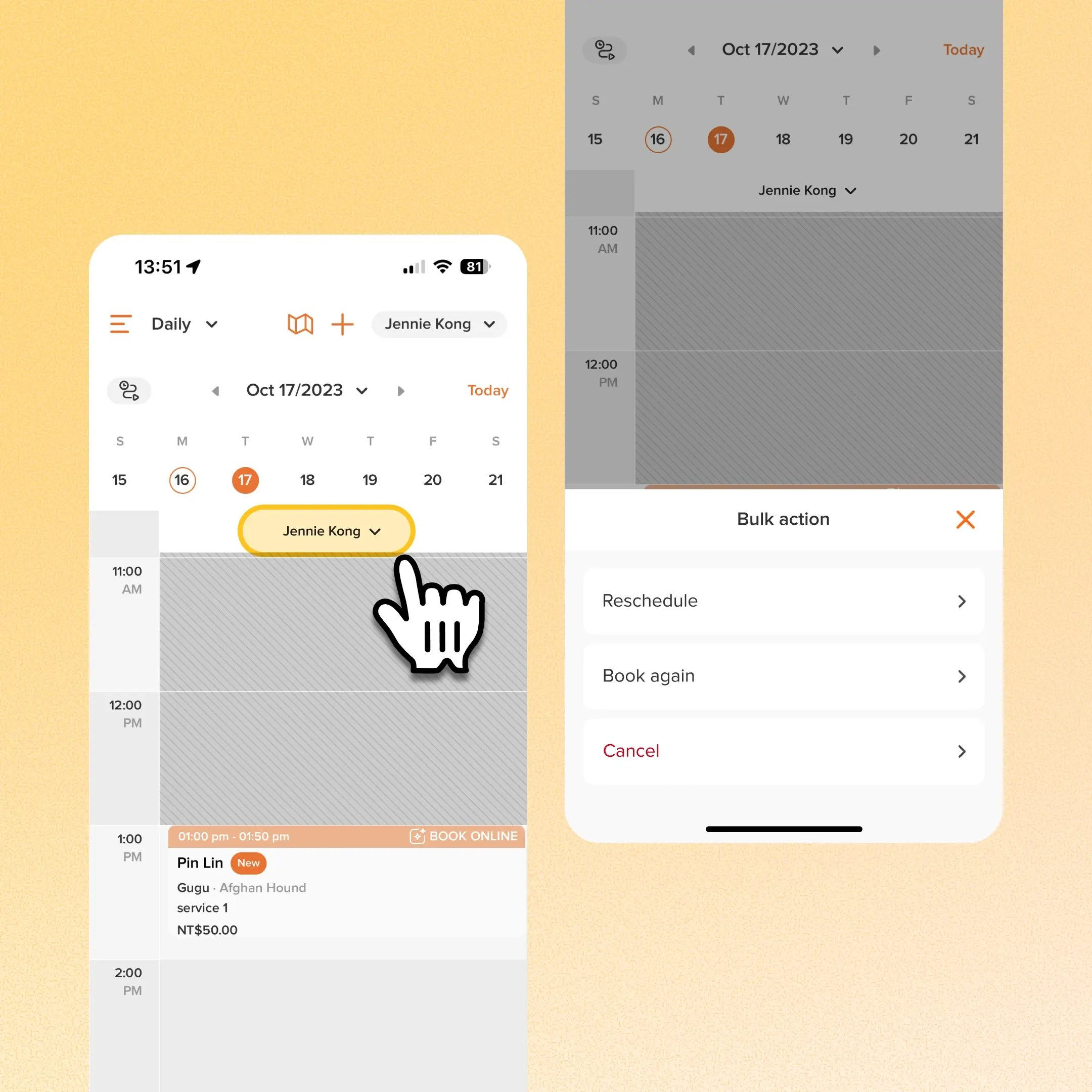
Owners can now handle bulk appointment changes (cancel, reschedule, or book again) directly from the app's Calendar Day view. Bulk actions were already available on Web and in the app's Agenda view. This brings the same functionality into Calendar, where teams manage their daily schedules from mobile.
Use case:
A groomer calls in sick the morning of a fully booked day. Instead of switching to Agenda view or opening a computer, the owner opens Calendar Day view on the app, taps the dropdown beside that staff member's name, and reschedules the day's unfinished appointments to another date and staff member in one action.
👉 How to access
- Open Calendar Day view in the app
- Tap the dropdown beside a staff member's name
- Select Reschedule, Book again, or Cancel
- For Reschedule, select the destination date and staff member for unfinished appointments, or use book again to rebook the day's appointments
Platform Availability
Web version
Mobile version
Availability


How to access
N/A
Calendar Day view → staff dropdown → Reschedule / Book again / Cancel
Before You Start
-
Plan availability: All plan types
- Business Type: Grooming