Changelog

What’s new in MoeGo

Explore the latest MoeGo features, improvements, and fixes.

Boarding & Daycare Features Grooming Features

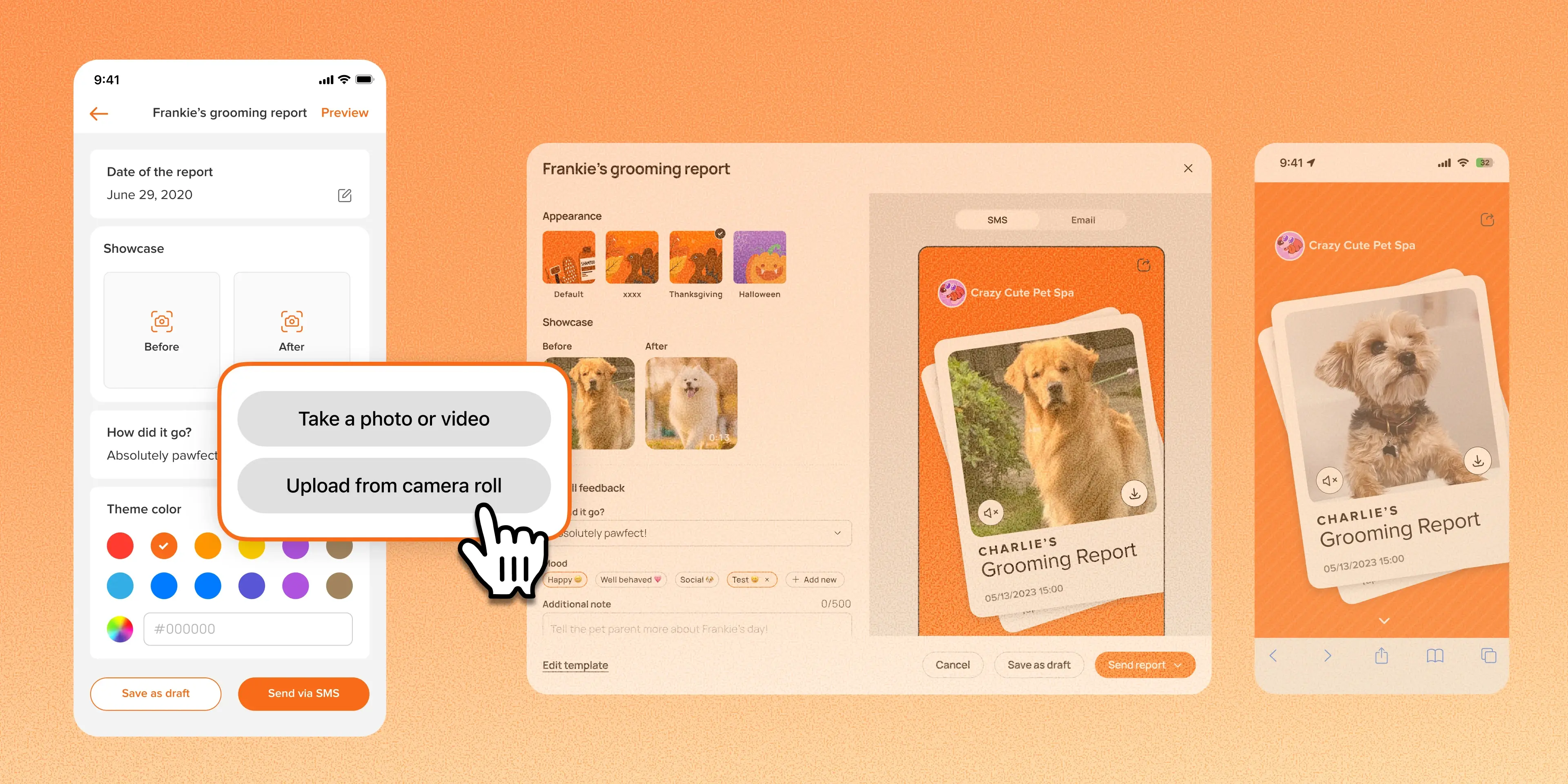
Grooming Report: Send Before and After Videos

#Enhancement Grooming teams can now include videos directly in grooming reports. Each Before and After slot accepts one photo or one video, and the two can be mixed, such as a before photo with an after video. 👉 How to access Select an appointment Go to grooming report → add a photo …
Boarding & Daycare Features Grooming Features

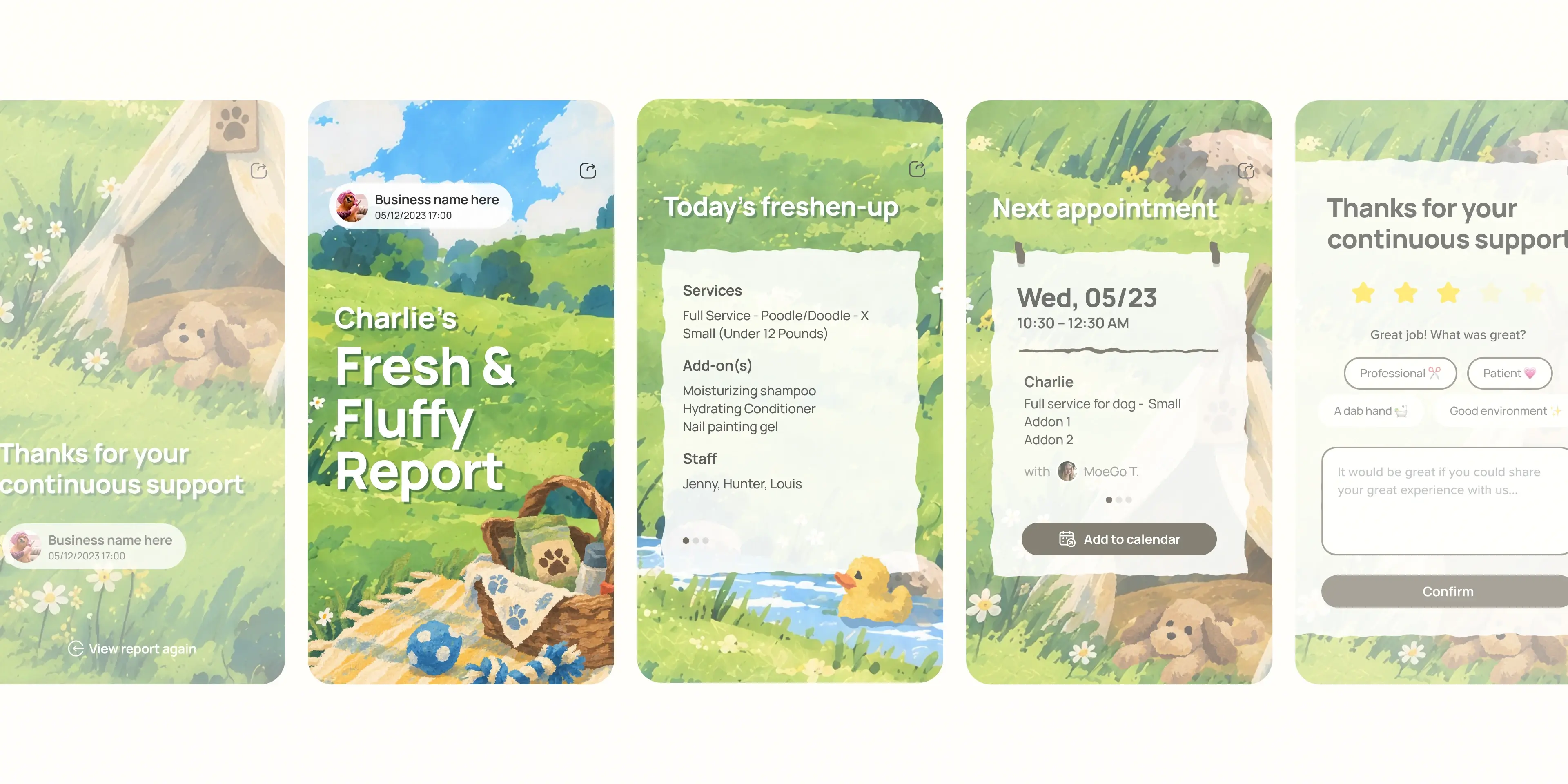
New Report Card Theme: Meadow

#Enhancement Meet Meadow 🌱 the first theme in our new Seasonal Mood Collection, inspired by the colors and moods of nature throughout the seasons, now available to every MoeGo user on every plan. Use it for Grooming Reports or Boarding & Daycare Daily Reports to give the photos a …

Grooming Features

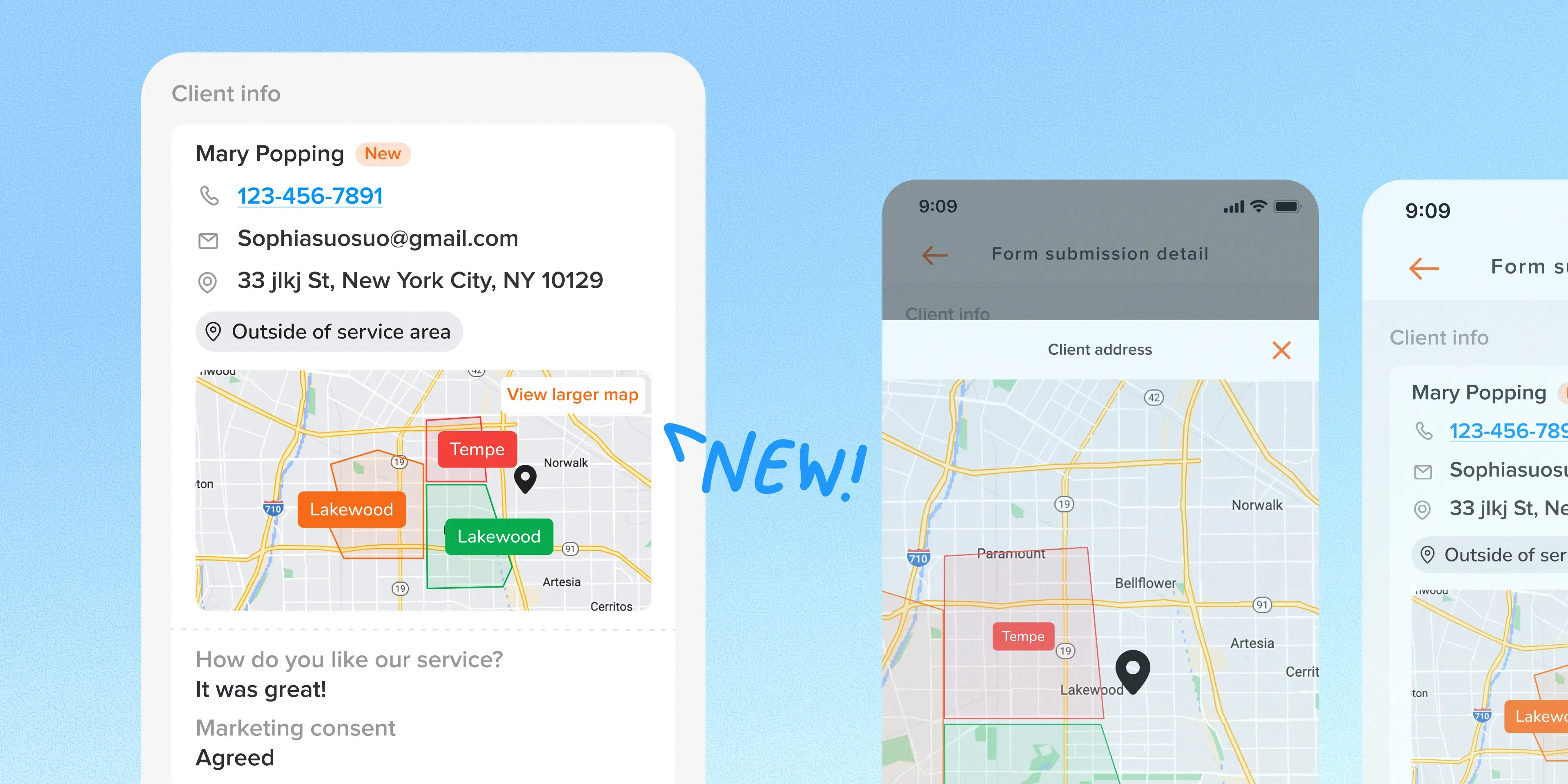
Mobile App: Service Area Visibility for Intake Form & Online Booking

#Enhancement The mobile app now shows service-area status and map context directly in Intake Form and standard Online Booking request details. Staff also get the previously missing submission, consent, source, and customer-preference fields. Use case: A mobile grooming dispatcher gets …

Boarding & Daycare Features Grooming Features

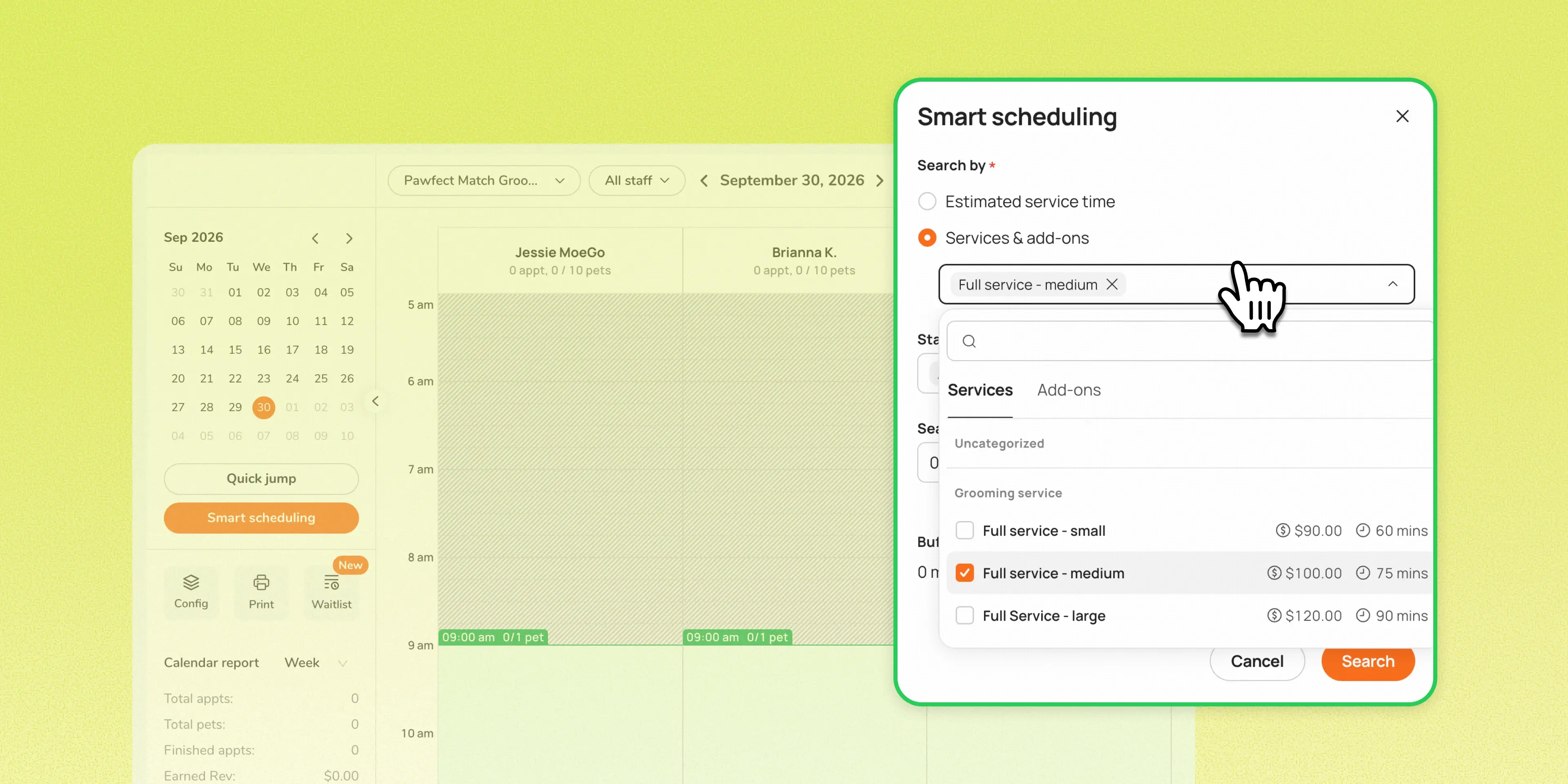
Smart Scheduling: Check availability by service and add-ons

#Enhancement Staff can now select a service and add-ons directly in Smart Scheduling to check availability, without creating a temporary client, pet, or appointment record. Previously, answering a simple availability question from a new caller meant creating a client, entering pet det …

Grooming Features

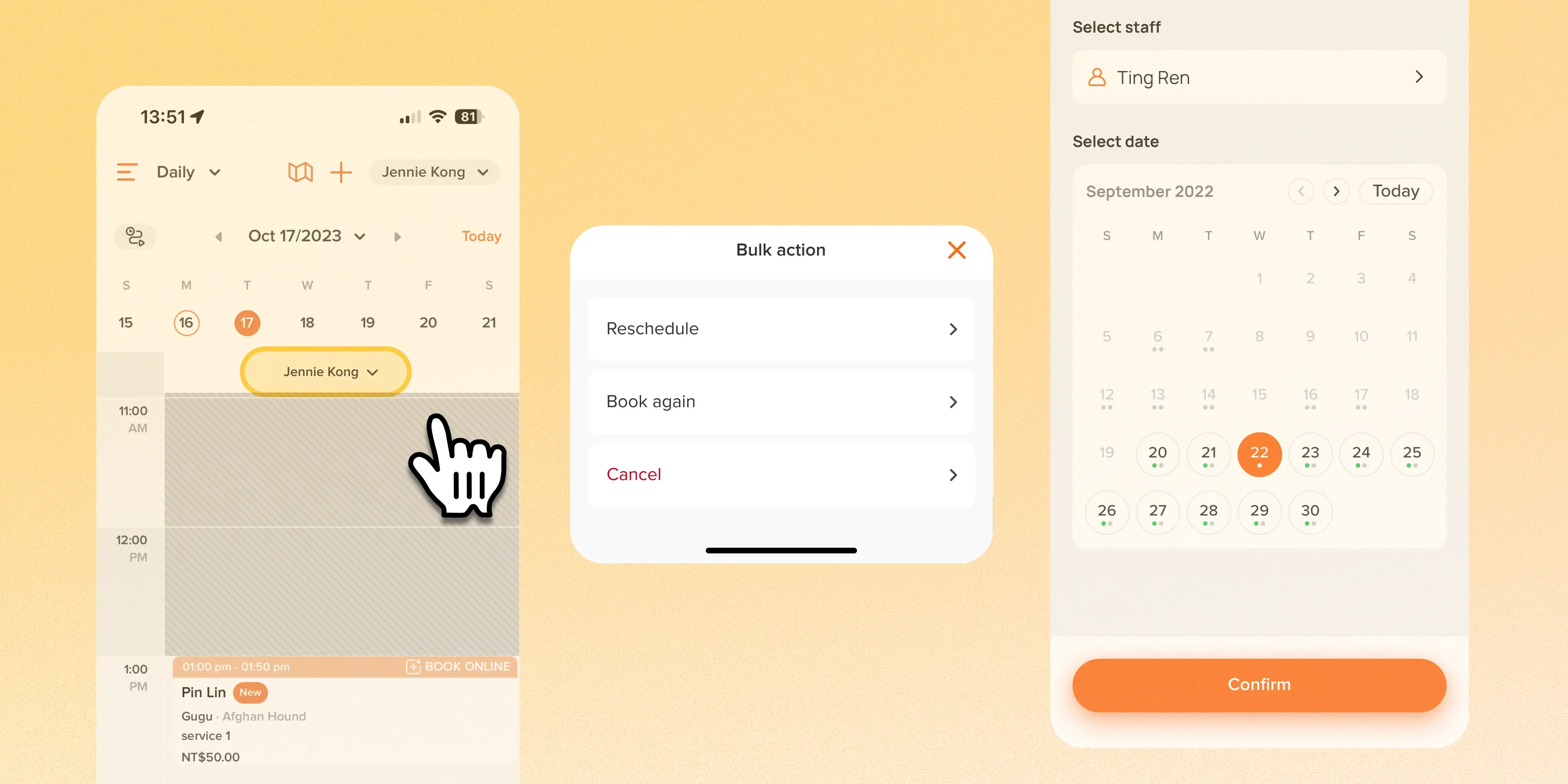
Bulk Cancel/Reschedule/Book from Calendar on Mobile

#Enhancement Owners can now handle bulk appointment changes (cancel, reschedule, or book again) directly from the app's Calendar Day view. Bulk actions were already available on Web and in the app's Agenda view. This brings the same functionality into Calendar, where teams manage thei …

Grooming Features

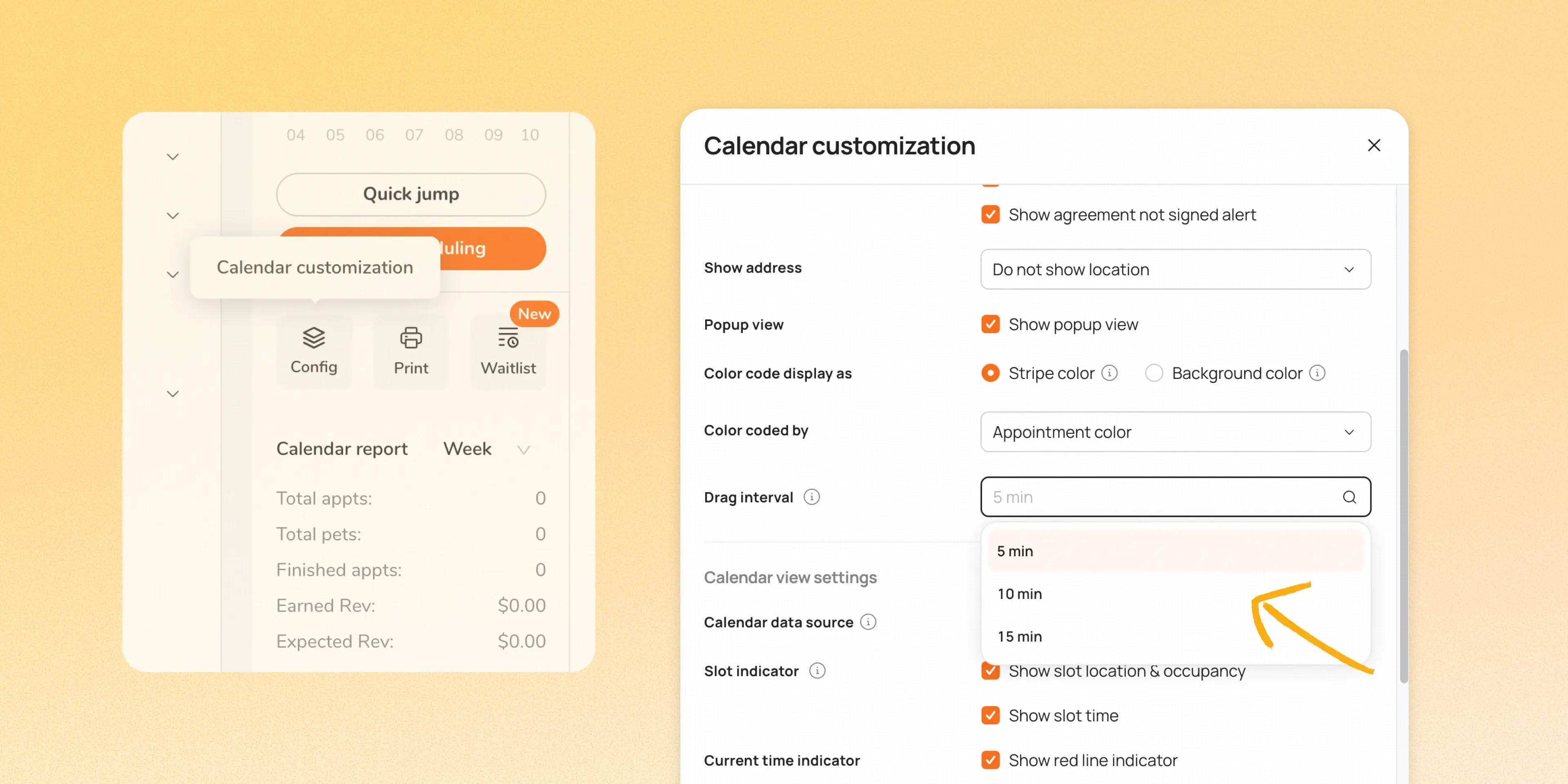
Choose Your Calendar Drag Interval on Web

#Enhancement Businesses can now choose the drag interval for appointments on the Web calendar. You can now select 5, 10, or 15-minute intervals to match how your business actually schedules. 👉 How to access Go to Calendar customization → Appointment card settings → Drag interval Sele …

Boarding & Daycare Features Grooming Features Payments

Reactivate Expired Discount Codes

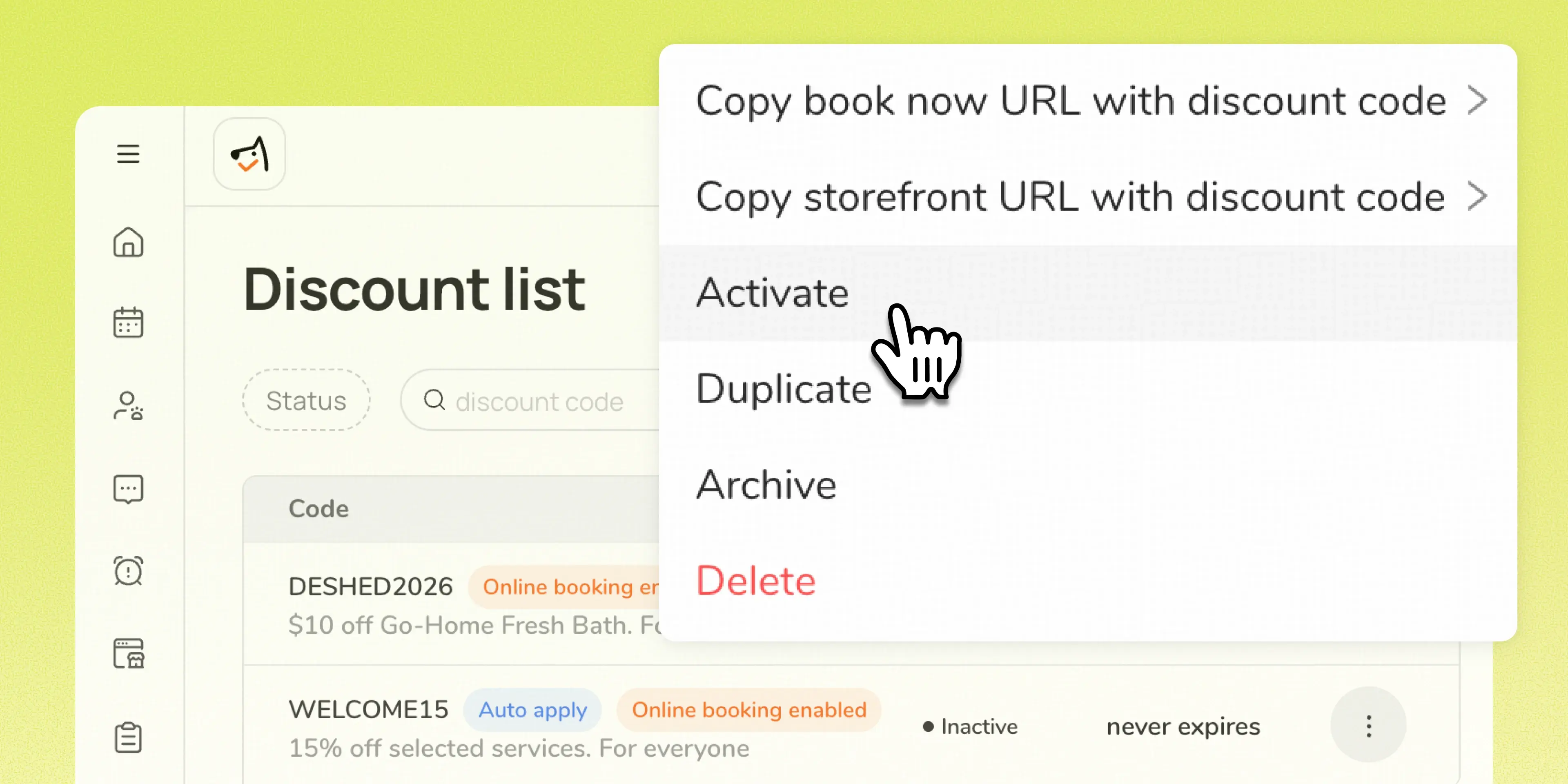
#Enhancement Owners and admins can now reactivate an expired discount code instead of it remaining permanently reserved and unusable. Reactivation preserves the code's existing setup, links, usage limits, and redemption history, with no need to recreate it from scratch. Use case: A bu …

Online Booking Grooming Features

Introducing Calendar Filters: Pet Size & Cancelled/No-show Options

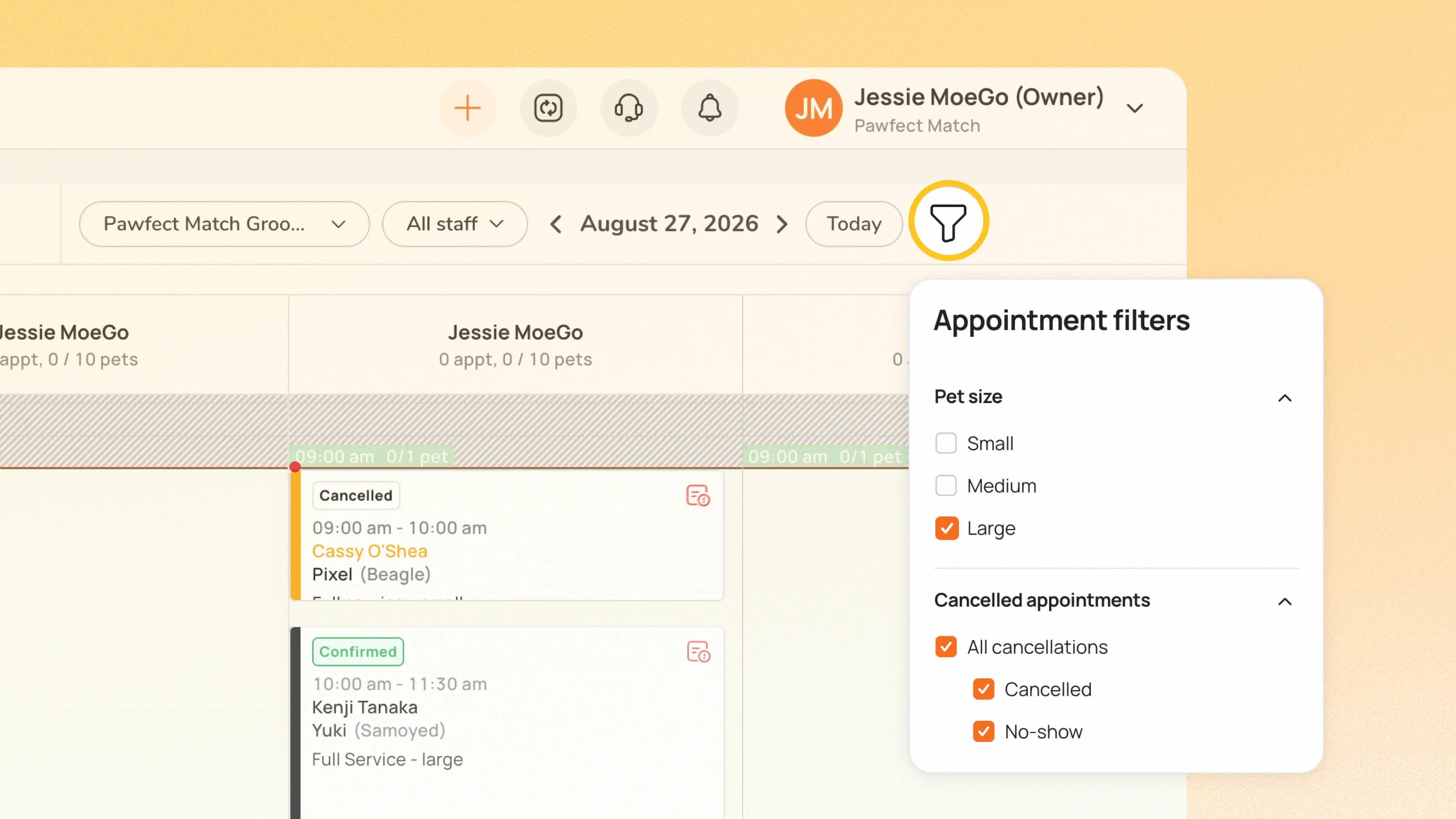
#Enhancement Calendar now supports filters, giving businesses more control over what appears on their schedule view. Two filters are available at launch: Pet Size: Filter Calendar to show only appointments for selected pet sizes Show cancelled appointments: Bring cancelled and no-show …

Boarding & Daycare Features Grooming Features Client & Pet

Editable SMS for Vaccine Record Requests

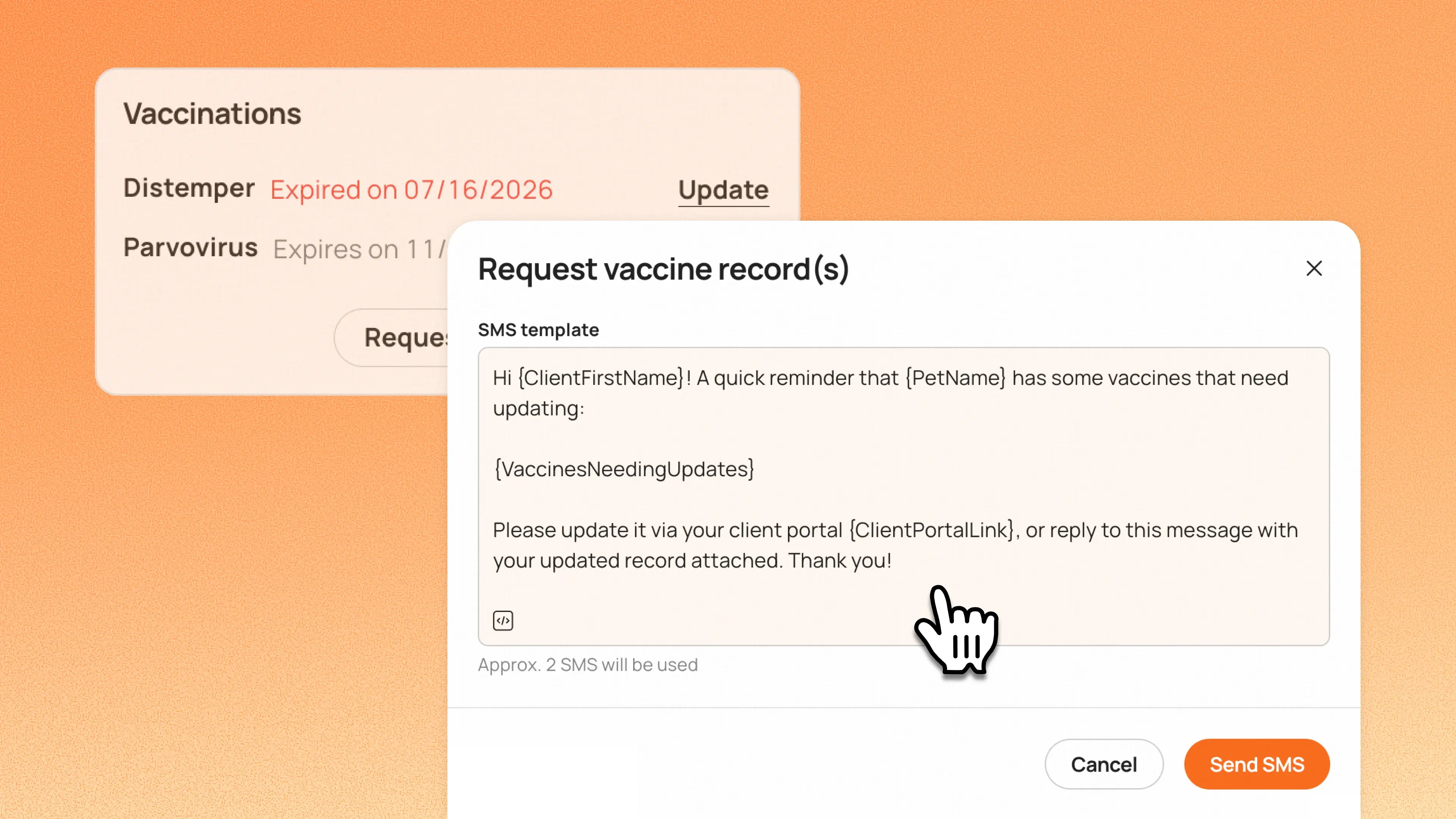
#Enhancement Staff can now edit the SMS message when requesting vaccine records, instead of being limited to a fixed template. Once edited, that version becomes the default for all future requests at that business. 👉 How to access Go to Appointment details → Vaccination alert next to …

Boarding & Daycare Features Grooming Features Client & Pet

A More Thoughtful Way to Remember Beloved Pets

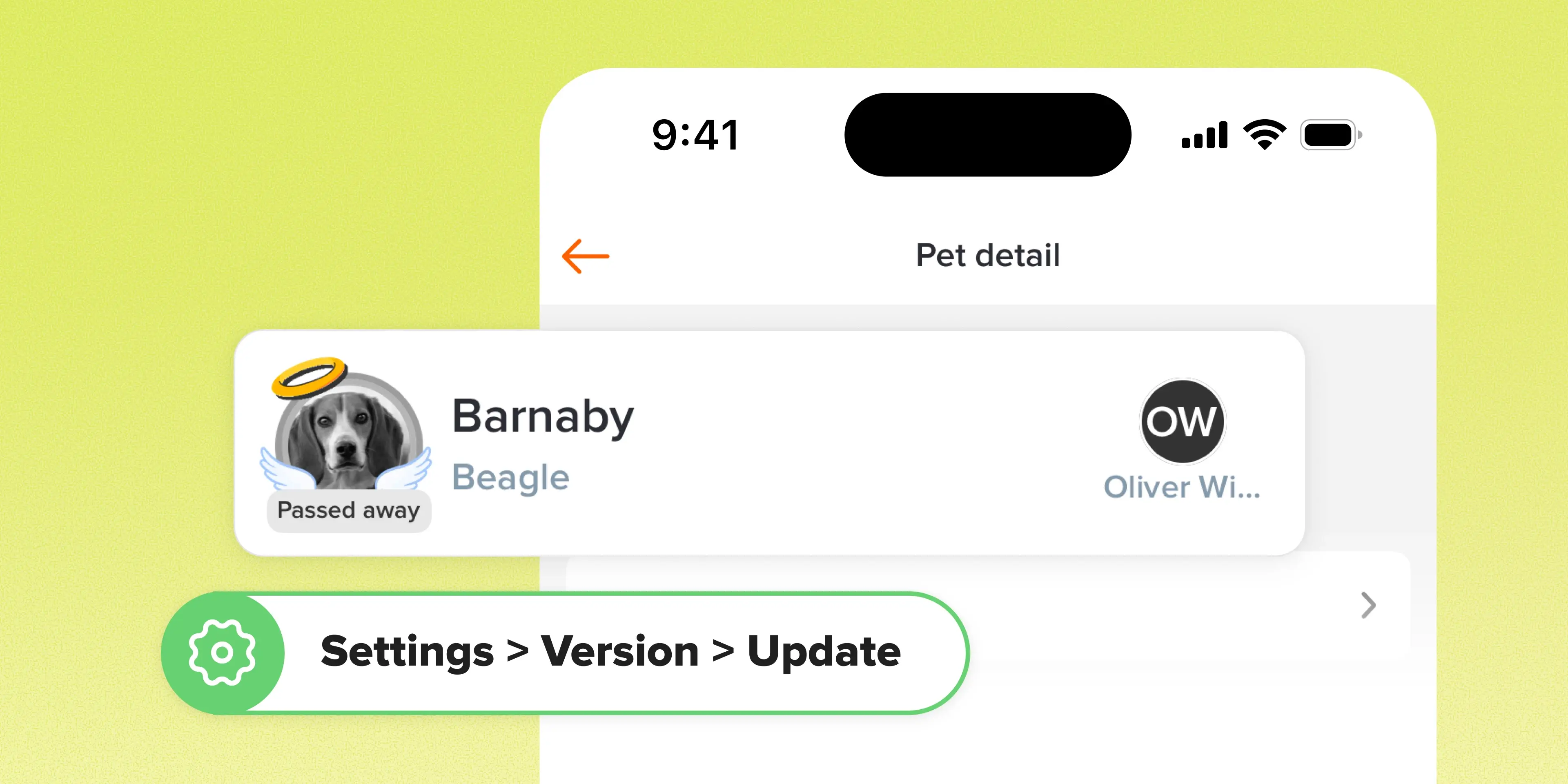
#Enhancement When a pet is marked as deceased, the system now displays a memorial visual instead of the standard Deactivated status. It's a small change that reflects the relationships your team builds with the pets and families you care for. 👉 How it works Pets marked as deceased no …