#Enhancement
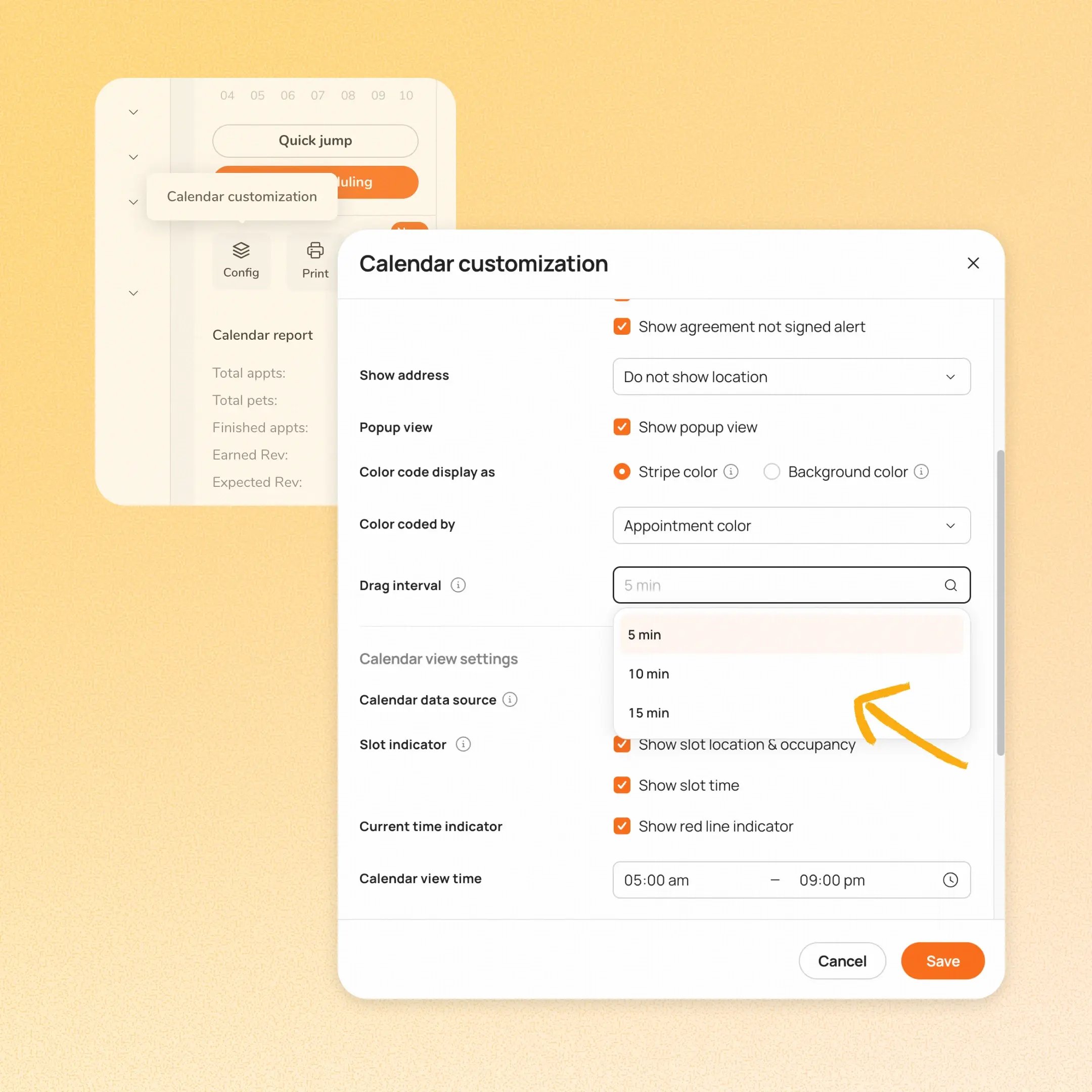
Businesses can now choose the drag interval for appointments on the Web calendar. You can now select 5, 10, or 15-minute intervals to match how your business actually schedules.
👉 How to access
- Go to Calendar customization → Appointment card settings → Drag interval
- Select 5 min, 10 min, or 15 min.
⚠️ Note:
- The default stays at 5 min. If you want a 10- or 15-minute drag, you'll need to select it.
- This setting controls Web dragging only. App dragging stays at 5 minutes.
Platform Availability
Web version
Mobile version
Availability


How to access
Calendar → Appointment card settings → Drag interval
N/A
Before You Start
-
Plan availability: All plan types
- Business Type: Grooming