#Enhancement
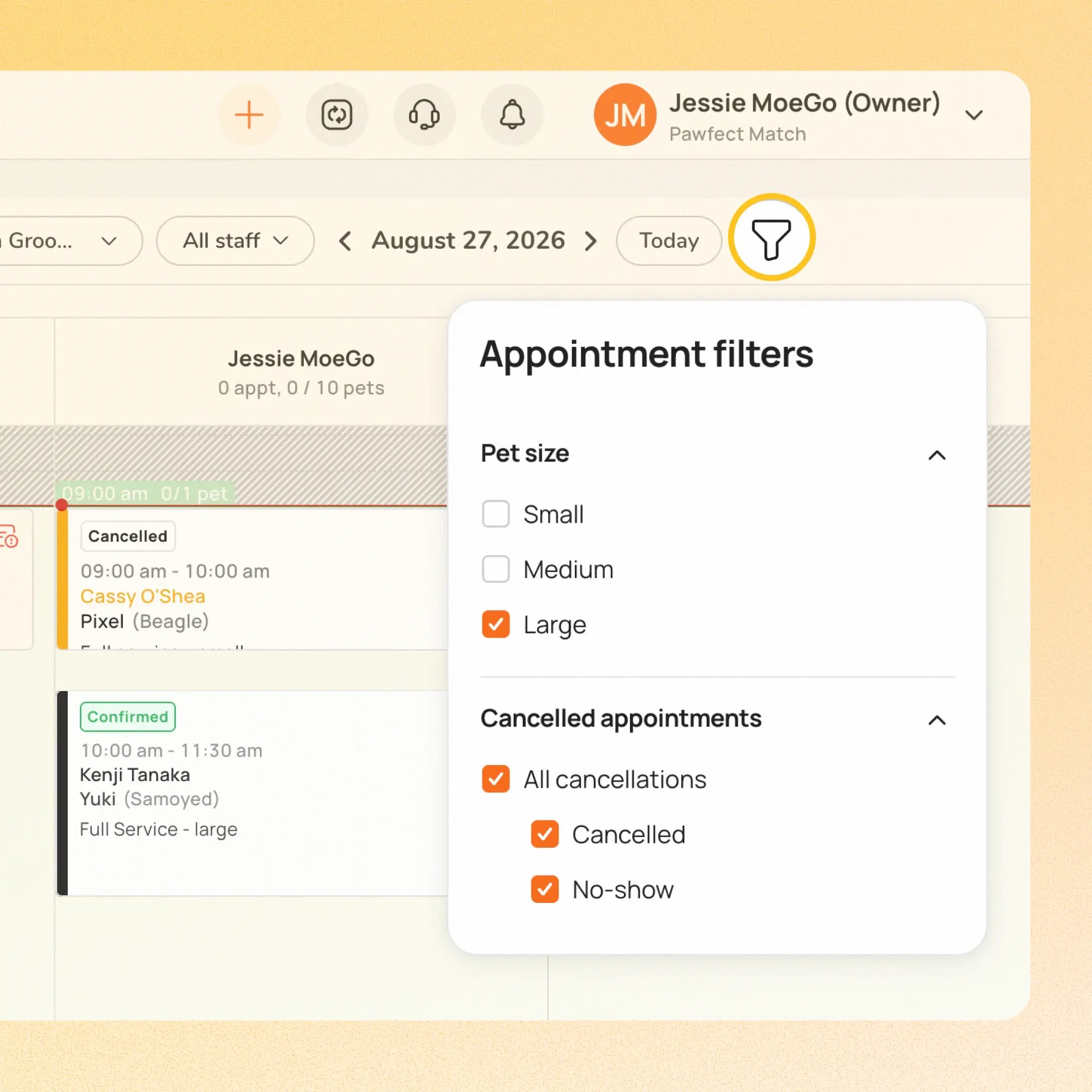
Calendar now supports filters, giving businesses more control over what appears on their schedule view. Two filters are available at launch:
- Pet Size: Filter Calendar to show only appointments for selected pet sizes
- Show cancelled appointments: Bring cancelled and no-show appointments back into view. These were previously hidden from Calendar by default once cancelled. Choose All cancellations, Regular cancellations only, or No-shows only
👉 How it works
- Go to Calendar → Filters, and select Pet Size or Show cancelled appointments.
- The cancelled/no-show filter works across Day, Week, Agenda, and Month views.
⚠️ Note:
- Off by default. Nothing changes until you turn it on. Once enabled, your choice of filter is remembered.
- These appointment cards are view-only (no drag/resize) since they don't hold a calendar slot.
Platform Availability
Web version
Mobile version
Availability


How to access
Go to Calendar → Filters → Show cancelled appointments, and pick the view you want.
N/A
Before You Start
-
Plan availability: All plans (Basic / Growth / Ultimate)