Powered by the MoeGo Team & MoeGo Community 🧡
New Features
🗺️ New Map View
Map View
✅ Web Version
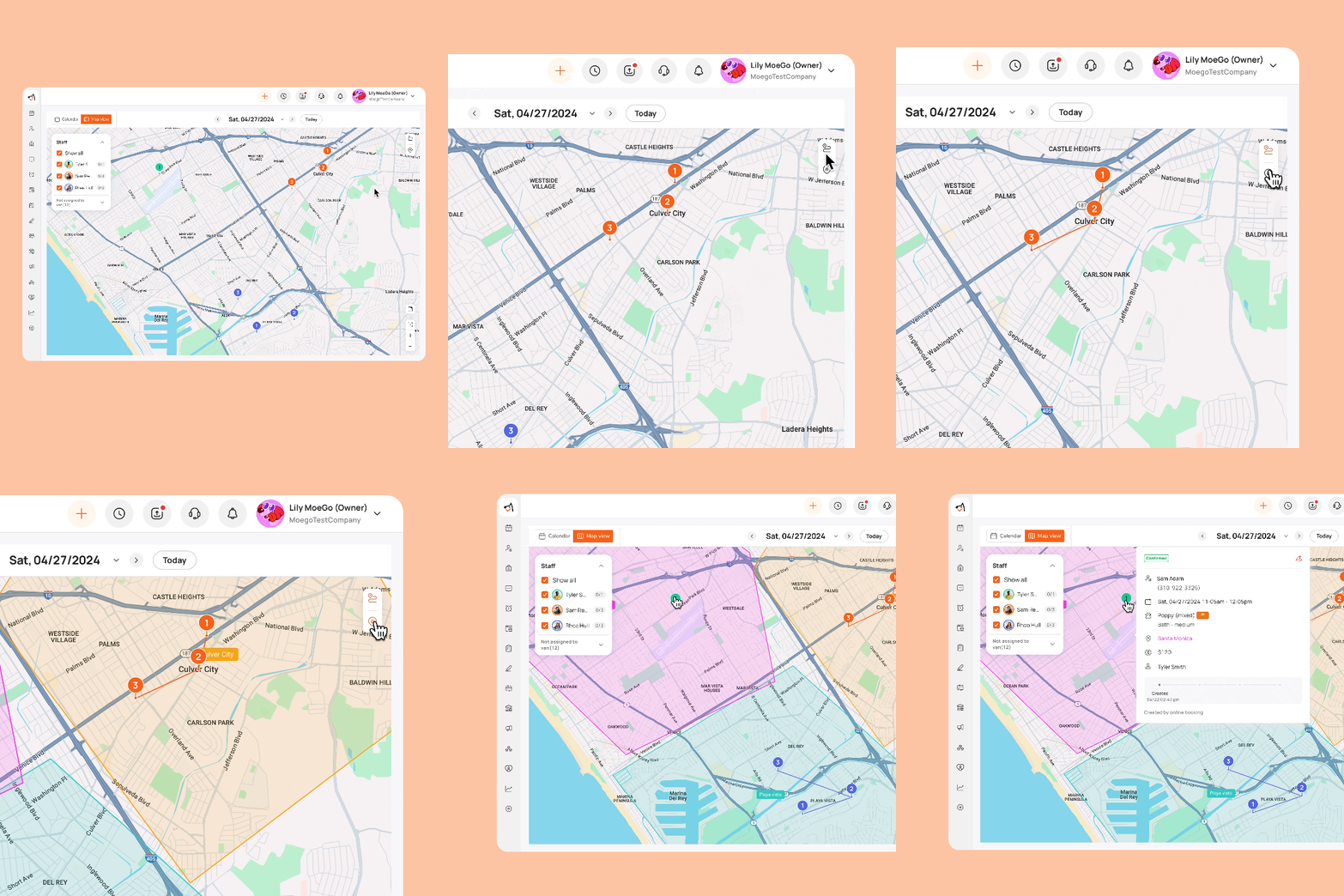
We are excited to introduce our revamped desktop map view. Now, you can easily select and display staff appointments by their assigned colors, making it simple to:
- Quickly view the location of staff appointments
- Track the number of appointments each staff has for the day
- Monitor their completion status
- Check and edit appointment details directly on the map
- Display service areas and routes
👆All made possible on map view. Visit our wiki for more!
💵 Cash Drawer Balance
MoeGo Pay
✅ Web Version
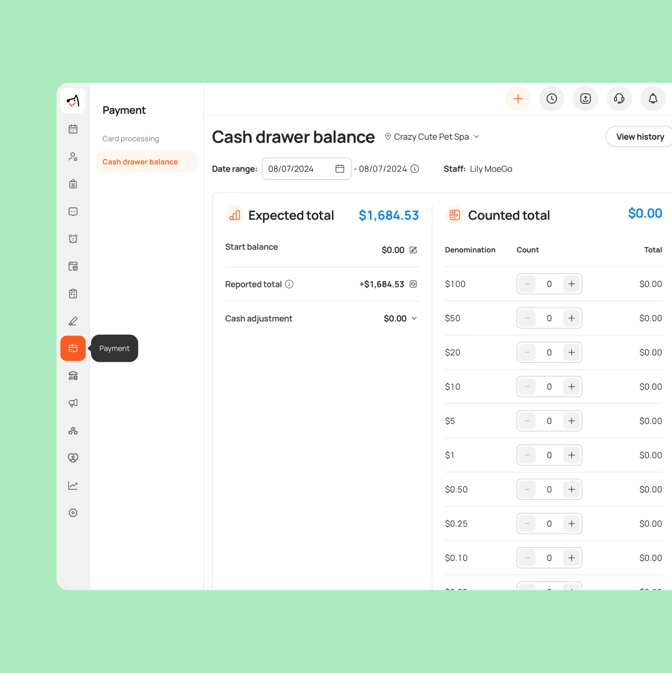
We're excited to introduce one of our most requested features - 💵 the Cash Drawer. With this feature, you can now:
- Track Your Cash Balance: Monitor cash flow with a customizable date range.
- Detailed Transaction Records: See who handles each cash transaction with staff names.
- Cash Adjustments: Record miscellaneous transactions that aren’t directly related to sales.
For a detailed step-by-step guide, please visit our wiki. 👀
🛀 Applicable Add-ons for Specific Services
Service Settings
✅ Web Version
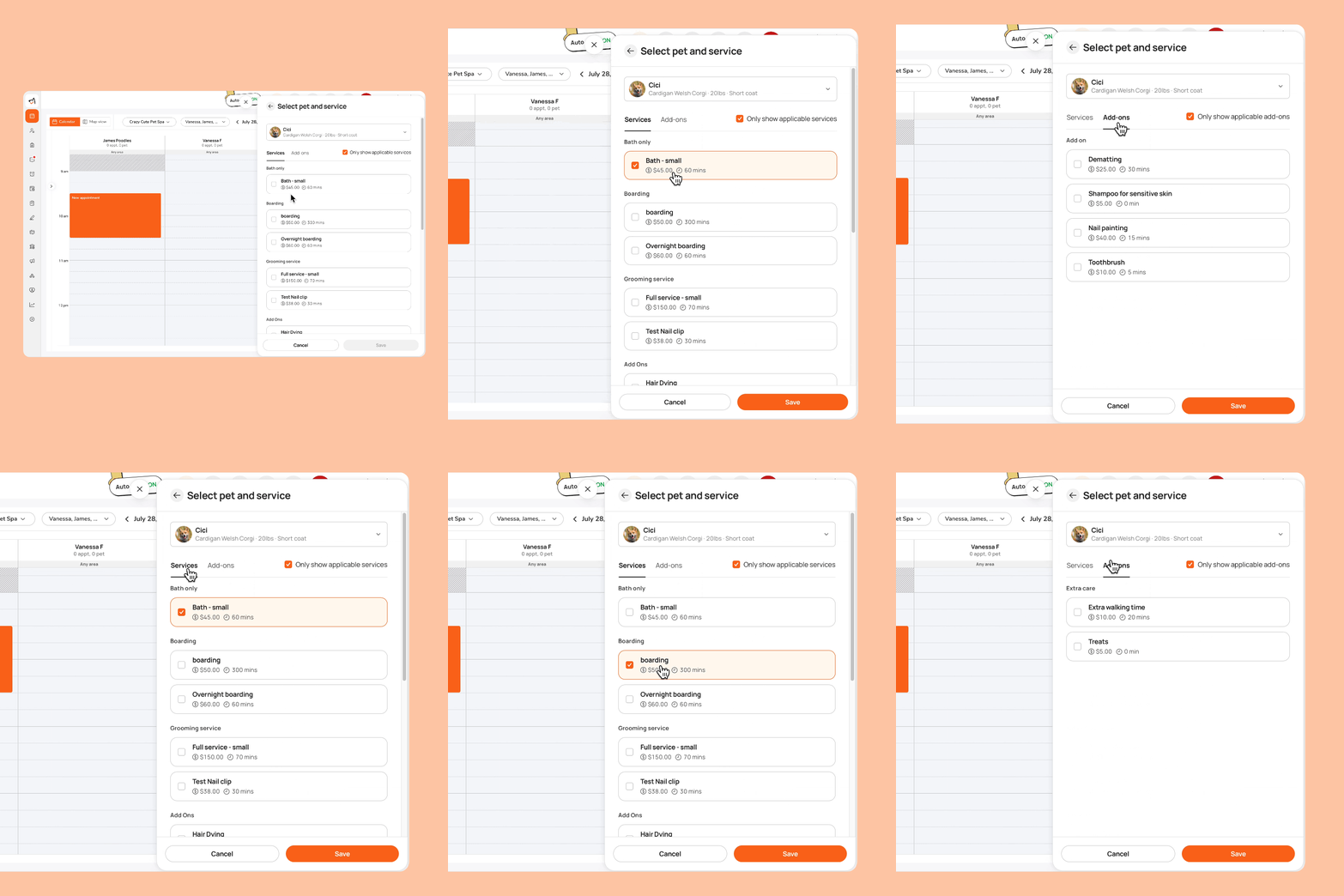
You can now easily bundle specific services with their frequently associated add-ons. This feature streamlines the process, reduces the risk of human error, and ensures a seamless experience even when managing an extensive list of add-ons.
🧐 To set it up, go to Settings > Services> Add-ons > Select an add-on service > Category > Bundle the add-on and service
🤩 After setting up, you can easily create an appointment with add-ons by going to Appointments > Add > Add client and pet info > Edit > Add service/add-on.
Enhancements
✉️ Appointment Auto Message/Reminder
Message
✅ Mobile App
✅ Web Version
We’ve added a few powerful new features to our auto messaging/reminder system:
- 🤩 New Layout: We've revamped the layout to make it more user-friendly and intuitive.
- ✉️ SMS and Email: We now separate templates for SMS and email, allowing you to edit, schedule, and automatically send messages through both channels.
- 💰 Add Estimate Amount as Variable: Under appointments, you can now include the estimated amount as a variable in your auto messages, such as pick-up notifications and appointment reminders.
Go to Settings > Auto messages to explore more!
.gif?width=672&height=672&name=Appointment-auto-message_reminder%20(2).gif)
📫 Message Filter for Conversational Chats
Message
✅ Mobile App
✅ Web Version
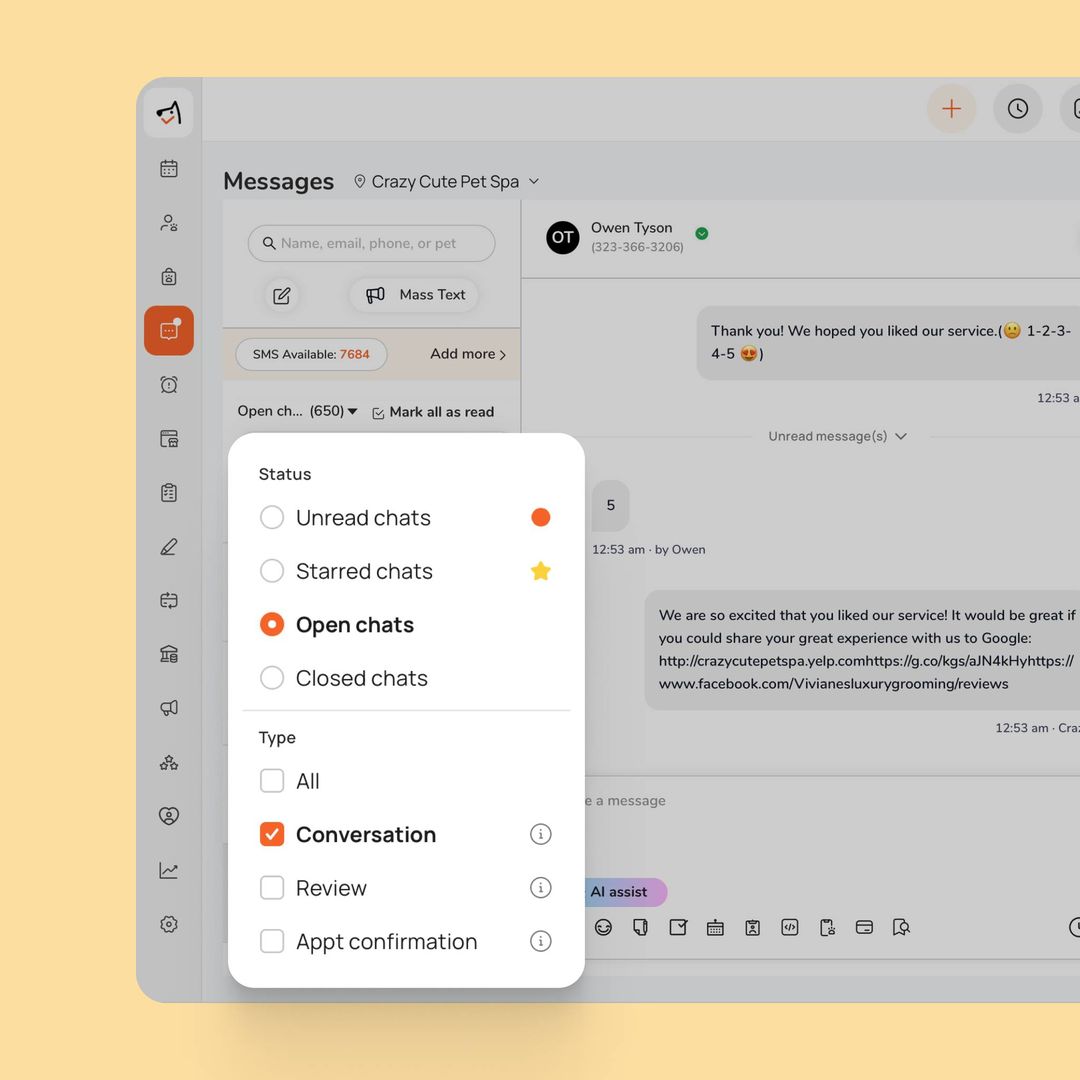
The new message filter allows you to categorize messages based on their type. By selecting the "conversational" filter, it will show you chats that involve real conversations, excluding chats containing ONLY automated messages and Y/N replies.
👥 New Filters for Last Staff and Profile Create Date
Clients & Pets
✅ Web Version
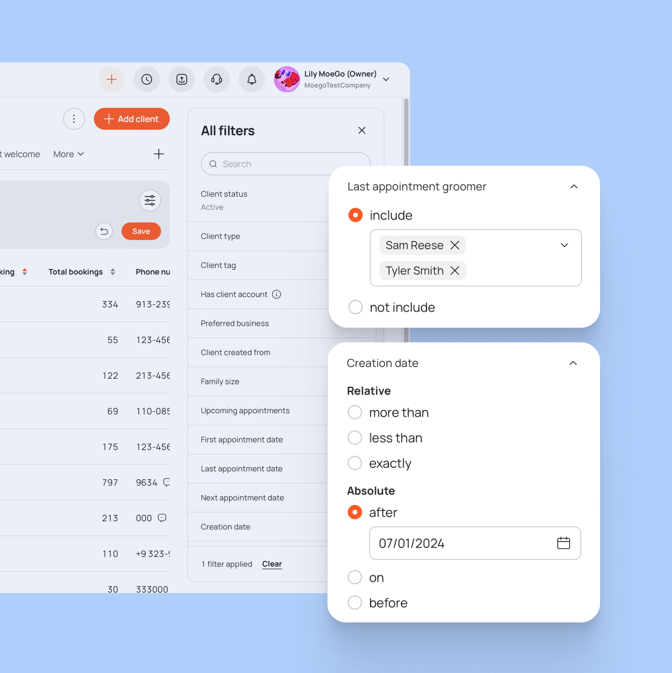
We added two new filtering criteria to the filters under Clients & Pets, making it even easier to manage your client data:
- 🧑 Last Appointment Groomer: Filter clients based on the groomer who handled their most recent appointment. This allows you to quickly identify which clients were last served by a specific staff member.
- 🗓️ Client Created Date: Filter clients by their profile creation date. This helps you easily find clients added to your system within a specified time frame.
☎️ Increase call forwarding limitation to 10 mins
We've extended the call forwarding duration to 10 minutes!
When pet parents dial your MoeGo phone number, calls will now be forwarded to business owners for extended 10-minute conversations.