#Enhancement
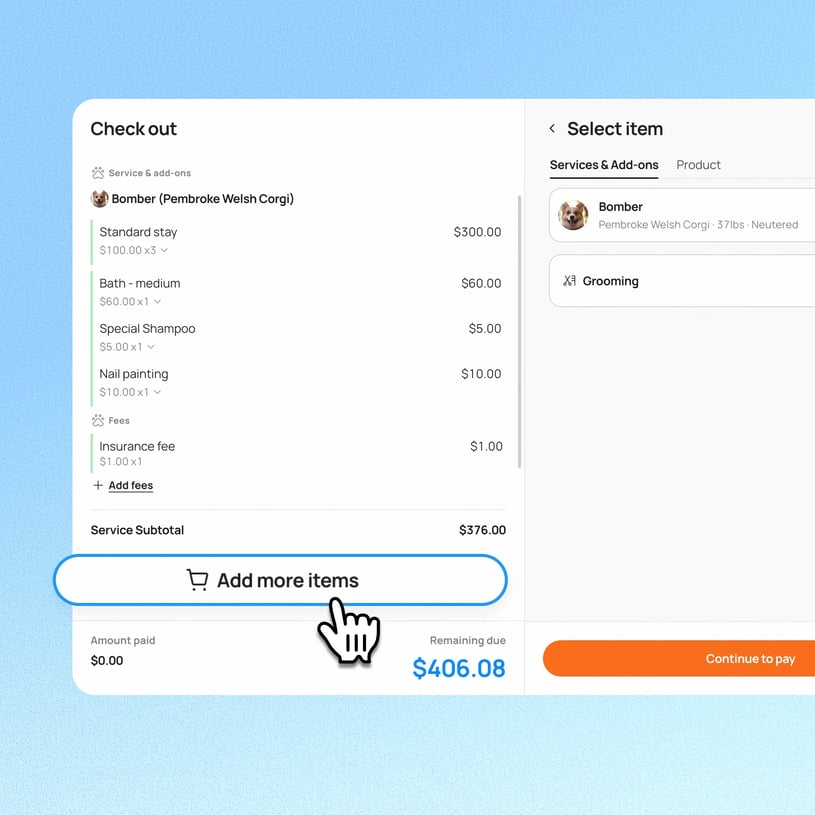
Previously, once checkout was completed, only tips could still be adjusted on the invoice and any other correction required a workaround. Now, staff can also edit a grooming service's price, change the assigned staff, or update a promotion (discount, membership, etc.) after checkout, with the lock point moved from checkout to when the bill is sent or charged.
Use case:A groomer checks a pet out, but later notices the wrong staff member was credited for the service, or a membership discount wasn't applied correctly. Instead of being limited to adjusting the tip, staff can now open the invoice and correct the staff assignment or promotion, as long as the bill hasn't been sent or charged yet.
👉 How it works
- Select an specific appointment and go to appointment details
- Open the invoice for a checked-out appointment
- Edit grooming services, add-ons, promotion details, or retail products as needed, as long as no charge has been recorded yet
Notes:
- Once the first charge is recorded, invoice items and promotions lock. This remains unchanged
- This applies only to invoices checked out gonig forward. Invoices checked out earlier are not retroactively unlocked
- This does not reopen or affect the appointment's checkout/fulfillment status. This remains locked as before
- Existing checkout and invoice-edit permissions apply. No new permission is introduced
- Each location follows its own availability based on Smarter Invoice (V4) eligibility.
Platform Availability
Web version
Mobile version
Availability


How to access
Go to appointment details → click View invoices → select Edit invoice
N/A
Before You Start
-
Plan availability: Growth and Ultimate
- Business Type: Boarding & Daycare