#Enhancement
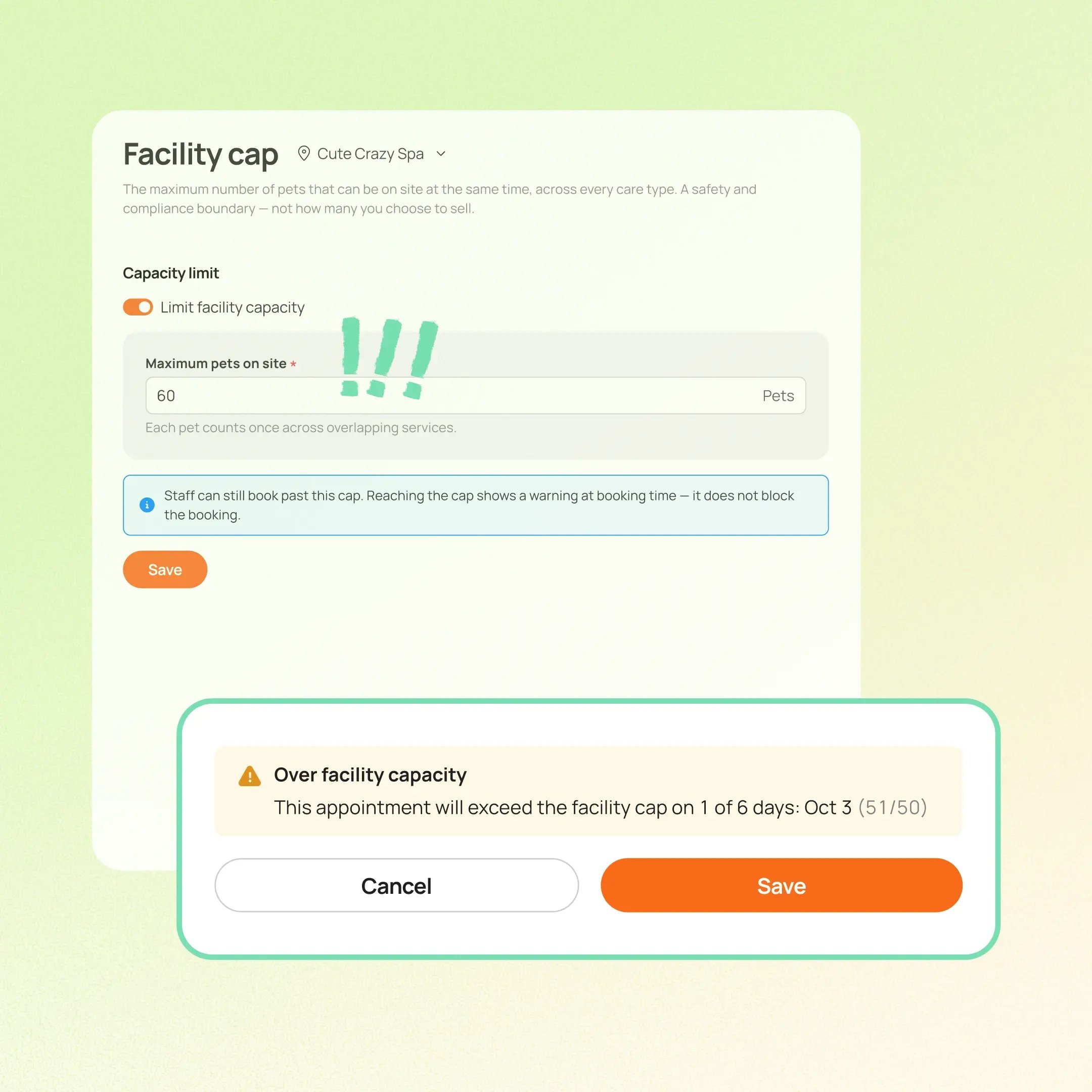
Businesses can now set one shared pet limit for each location across Boarding, Daycare, Grooming, and Evaluation. A single pet receiving overlapping services counts once, while different pets count separately.
Use case:
On a busy holiday afternoon, a facility still has an open kennel and a grooming slot, but the team is already caring for the maximum number of pets the building can safely support. With Facility-Wide Pet Limit, staff see that another booking would exceed the limit, and Online Booking stops offering that date or time.
👉 How to access
- Go to Settings → Business settings → Facility capacity → Maximum pets on site
- Set the shared pet limit for each location
- Staff scheduling: MoeGo shows which dates or times would exceed the limit. Staff can still continue when the business approves an exception
- Online Booking: In capacity-enforced flows, unavailable dates and times are filtered out. Boarding and Daycare clients can join the waitlist when it's enabled
⚠️ Note:
- Facility capacity and lodging capacity are different. An open kennel does not necessarily mean the facility can safely accept another pet
- Best fit for Boarding & Daycare businesses managing mixed-care operations, shared play areas, staffing limits, or safety and insurance requirements
- This Beta requires the New Reservation Experience). Interested businesses can contact account manager or 24/7 support chat to join
- Currently rolling out in batches to eligible Fulfillment businesses
Platform Availability
Web version
Mobile version
Availability


How to access
Settings → Business settings → Facility capacity → Maximum pets on site
N/A
Before You Start
-
Plan availability: All plans
- Business Type: Boarding & Daycare