#Enhancement
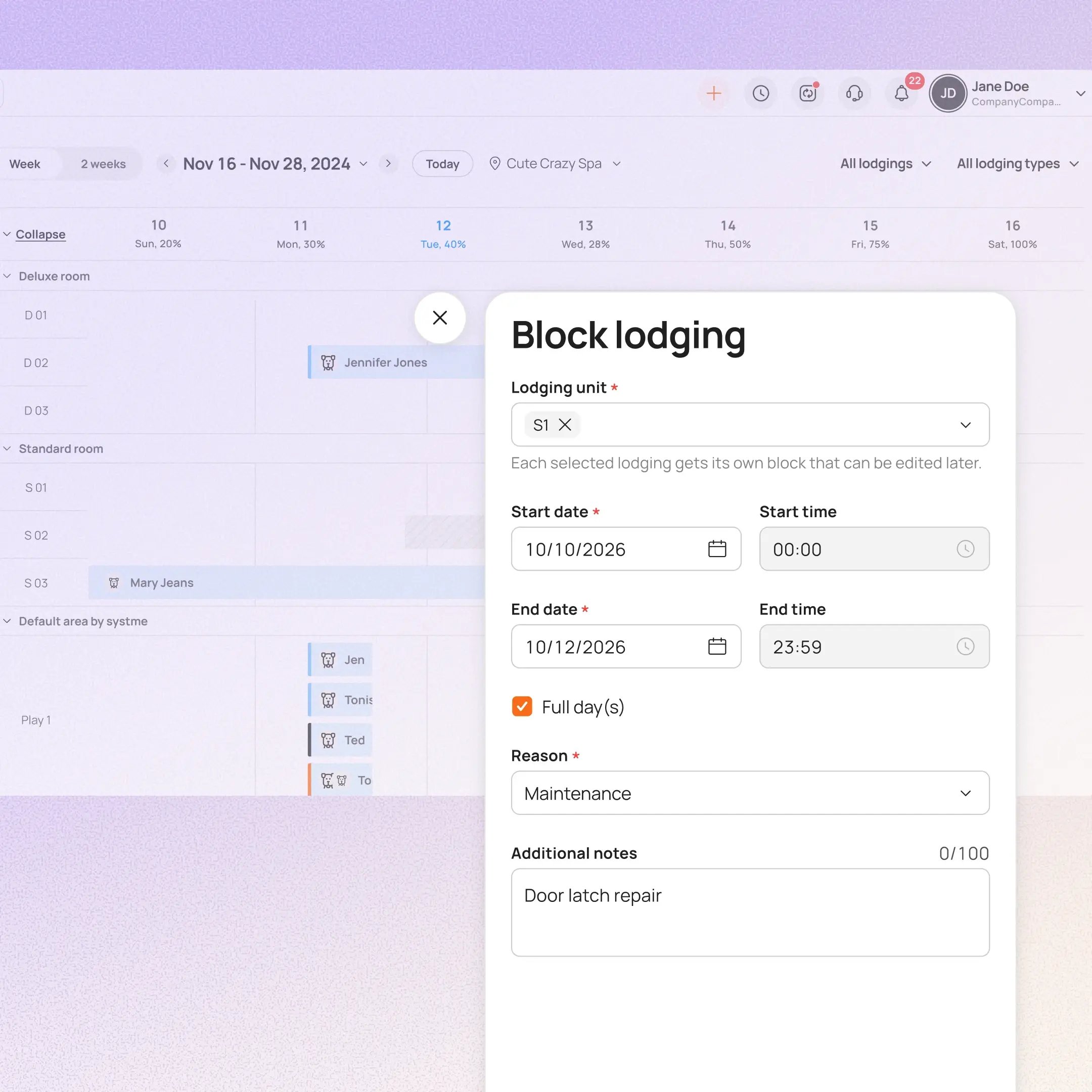
Managers can now mark one or more lodging units unavailable for a set date range and reason. While a unit is blocked, MoeGo stops offering it for new online bookings and flags affected bookings for staff to review.
Use case:
A boarding manager has a run out of service for a week for repairs. Instead of creating a placeholder booking, they block the unit for those dates with a reason. Online Booking stops offering it, and staff can review any flagged bookings.
👉 How to access
- From Lodging view: Click the lodging room → Block → set the reason and block period
You can update a block, end it early, or cancel it. Availability returns automatically when the period ends.
⚠️ Note
- Existing bookings are not automatically moved or cancelled
- This feature requires you to enroll in New Reservation Experience . Contact our 24/7 support chat or your account manager to set this up.
Platform Availability
Web version
Mobile version
Availability


How to access
Settings → Lodging → Mark as Unavailable, or Lodging view → click room → Block
N/A
Before You Start
-
Plan availability: Growth, Ultimate
- Business Type: Boarding & Daycare