#Enhancement
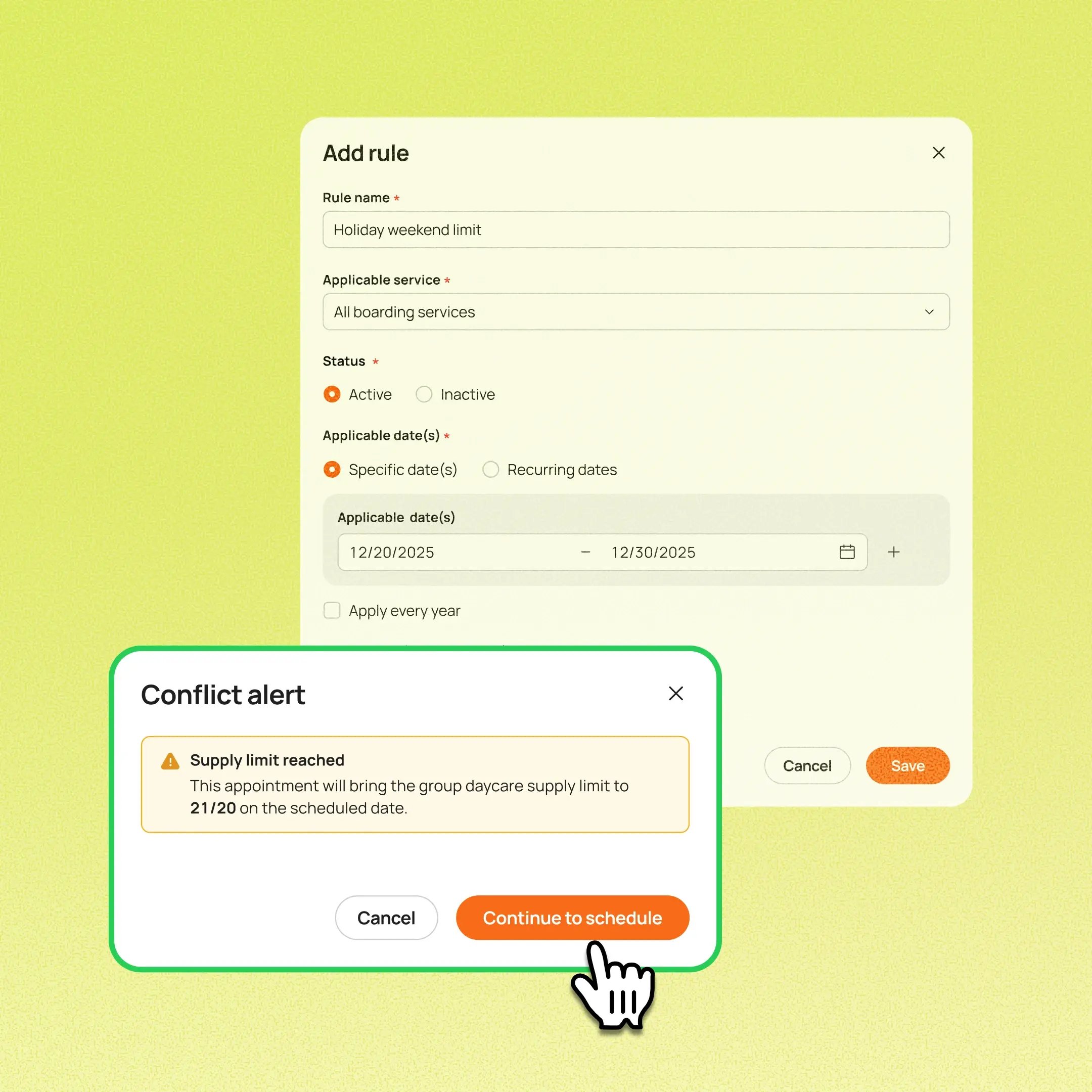
Managers can now set a booking limit for one or more services on specific dates, while keeping normal room and area capacity unchanged.
Use case:
During the week of a holiday, two staff members are out. A boarding manager adds a supply rule limiting boarding bookings for those dates. Staff and Online Booking both follow the limit, while rooms and areas stay configured as usual.
👉 How to access
- Go to Settings → Service → Boarding/daycare list → Manage supply → Add rule
- Choose your services, then select Maximum pets, % of capacity (100%, 125% or 150%), or No limit.
- Set the dates the rule applies to: a date range, a weekly pattern, or a range that repeats every year
⚠️ Note
- Lowering a limit never changes existing appointments or lodging assignments. It only affects new booking decisions.
- Already using Online Booking capacity settings? When this update becomes available for your business, your capacity settings will move from Online Booking to Supply control. Your existing percentage or No limit setting will carry over as a Capacity limit rule.
- This feature requires you to enroll in New Reservation Experience. Contact our 24/7 support chat or your account manager to set this up.
Platform Availability
Web version
Mobile version
Availability


How to access
Settings → Service → Boarding/daycare list → Manage supply → Add rule
N/A
Before You Start
-
Plan availability: Growth, Ultimate
- Business Type: Boarding & Daycare