#Enhancement
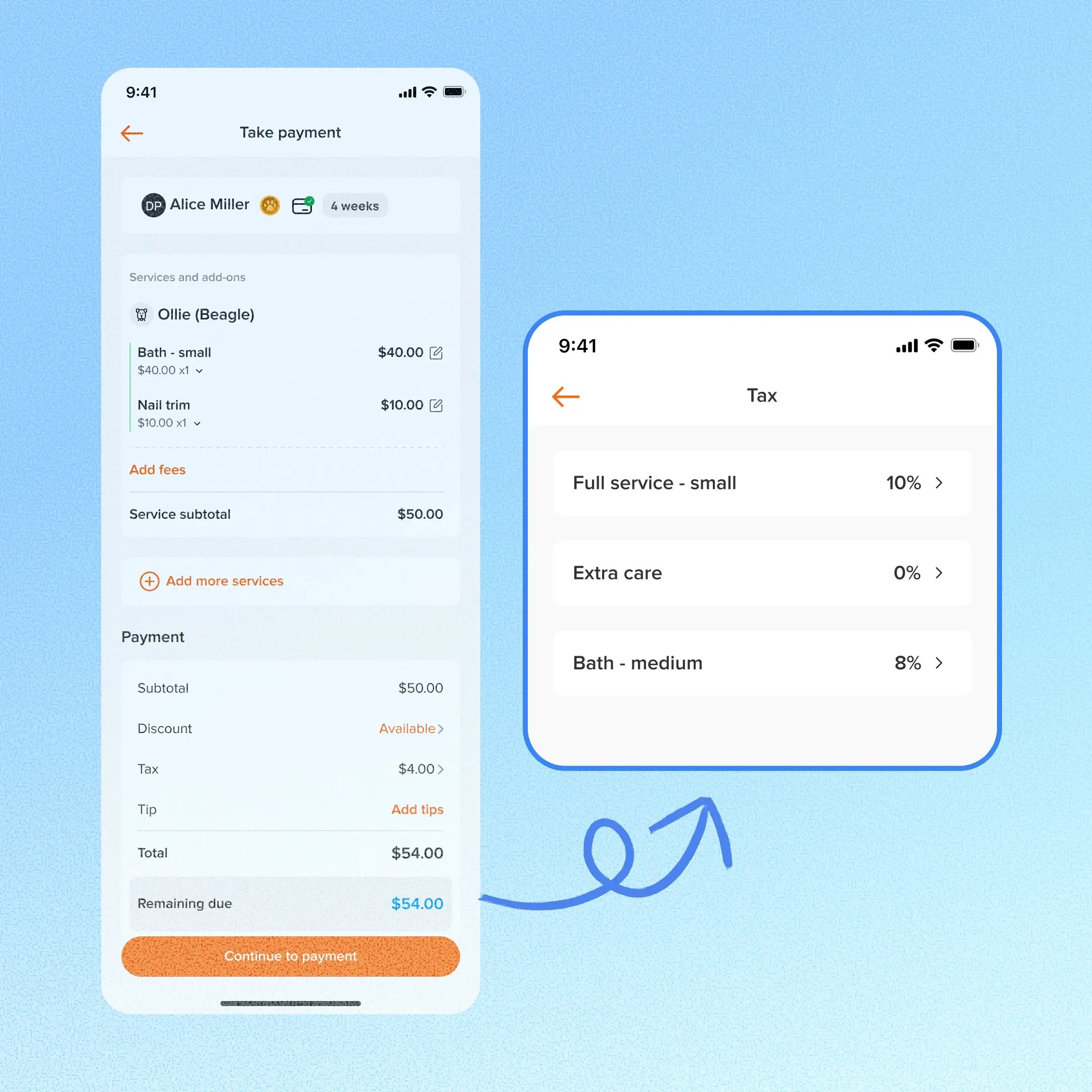
With Smarter Invoice, boarding & daycare teams can now pick a different tax rate right in the mobile app, before the invoice locks. The change applies to that appointment only, and your shop’s tax settings stay exactly as they are.
Prerequisite: This requires Smarter Invoice. Businesses that aren’t on it yet can contact the 24/7 support chat or their account manager to enroll.
Use case:
A customer needs a one-off tax adjustment on their appointment. At checkout in the mobile app, staff open the Tax option, select the service or fee, and choose an existing tax rate or “None – 0%.” The shop’s default tax settings stay the same for every other appointment.
👉 How to access
- Go to Checkout or Take payment
- Select Tax, then select a service or fee
- Choose from the tax rates your business has already created
⚠️ Note
- Staff can only choose from tax rates you’ve already set up. They can’t type a custom rate or amount.
- Sending a Pay Online link locks tax, even if the customer hasn’t paid yet.
- With checkout only, tax stays editable until the first payment.
- The adjustment applies to that appointment only without changing the shop’s tax settings.
Platform Availability
Web version
Mobile version
Availability

How to access
Checkout or Take payment → Tax
Checkout or Take payment → Tax
Before You Start
-
Plan availability: All plans
- Business Type: Boarding & Daycare