#Enhancement
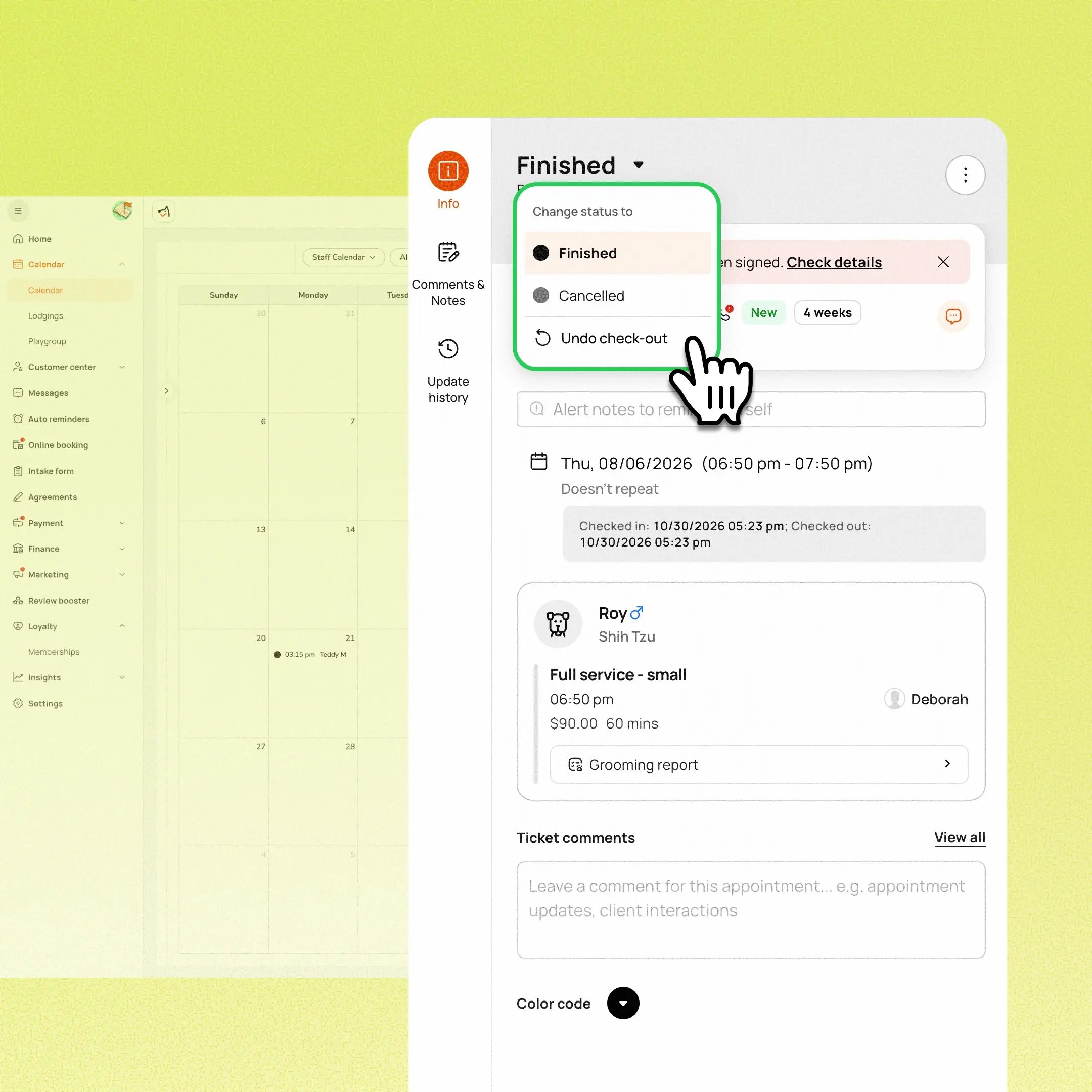
Staff can now undo check-out on an appointment, confirm the action, and restore it to its previous status so they can continue the visit. This is available as long as the appointment hasn’t taken its first payment.
Prerequisite: This requires Smarter Invoice. Businesses that aren’t on it yet can contact the 24/7 support chat or their account manager to enroll.
Use case:
A staff member accidentally marks an appointment Finished while there’s still work to do. They open the appointment details, choose Undo check-out from the Finished status menu, confirm, and the appointment returns to its previous status so the visit can continue.
👉 How to access
- Desktop: Appointment details → Finished status menu → Undo check-out
- Mobile app: Tap the undo icon beside Finished
⚠️ Note
- You’ll need the existing “can edit ticket” permission.
- If the invoice is locked, Undo check-out stays disabled and explains why. An UNPAID label alone doesn’t mean it’s eligible.
- Editing billing after check-out is separate and doesn’t restore the appointment’s status.
Platform Availability
Web version
Mobile version
Availability

How to access
Appointment details → Finished status menu → Undo check-out
Checkout or Take payment → Tax

Before You Start
-
Plan availability: All plans
- Business Type: Boarding & Daycare