#New Feature
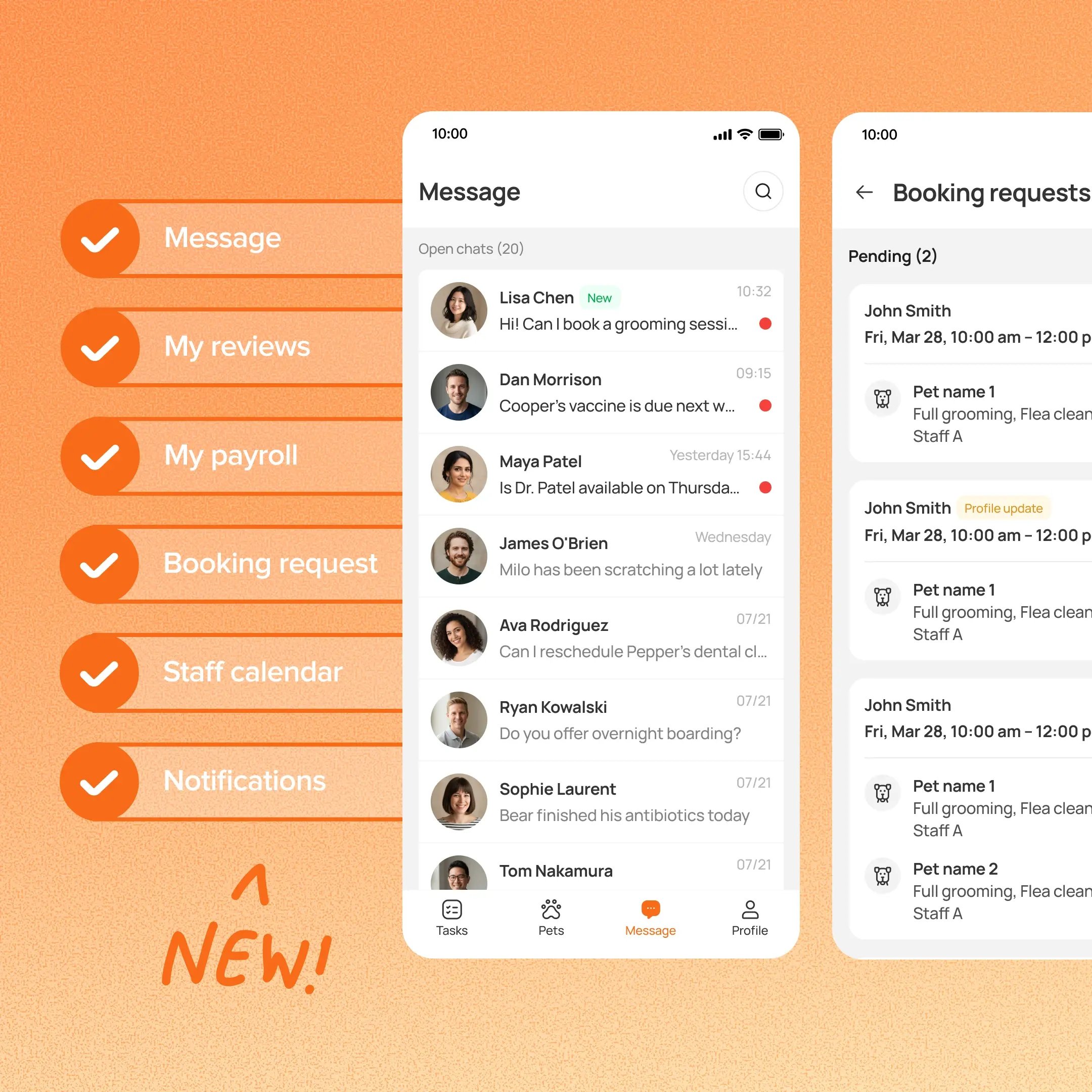
MoeGo Team App now covers more of a staff member’s day beyond care tasks. Staff can manage client conversations, review grooming booking requests, switch between staff calendars, receive notifications, get alerts for new reviews, and view their own payroll, all from their phone.
Use case:
A groomer finishes a service and sees a new message from a client in Team App. They reply with a photo from the shared Message inbox, then check Profile → My payroll to see this week’s total, without going back to the front desk.
👉 What’s new:
- Messaging: View client conversations and send text or photos from the shared Message inbox. You can also jump into the right conversation from pet or appointment details.
- Booking requests: Review, schedule, or decline supported Grooming-only online booking requests.
- Staff Calendar: Switch between the calendars you have permission to access. New appointments and blocks use the selected staff context.
- Notifications: See appointment, booking-request, review, and task notifications under Profile → Notifications.
- Reviews: Get notified when a new review comes in.
- My payroll: View your own payroll total and details for a selected date range under Profile → My payroll.
⚠️ Note:
- Staff can see reviews but can’t reply to or delete them in Team App.
- This feature requires you to enroll in New Reservation Experience. Contact our 24/7 support chat or your account manager to set this up.
Platform Availability
Web version
Mobile version
Availability


How to access
N/A
Team App
Before You Start
-
Plan availability: Growth, Ultimate
- Business Type: Boarding & Daycare