#New Feature
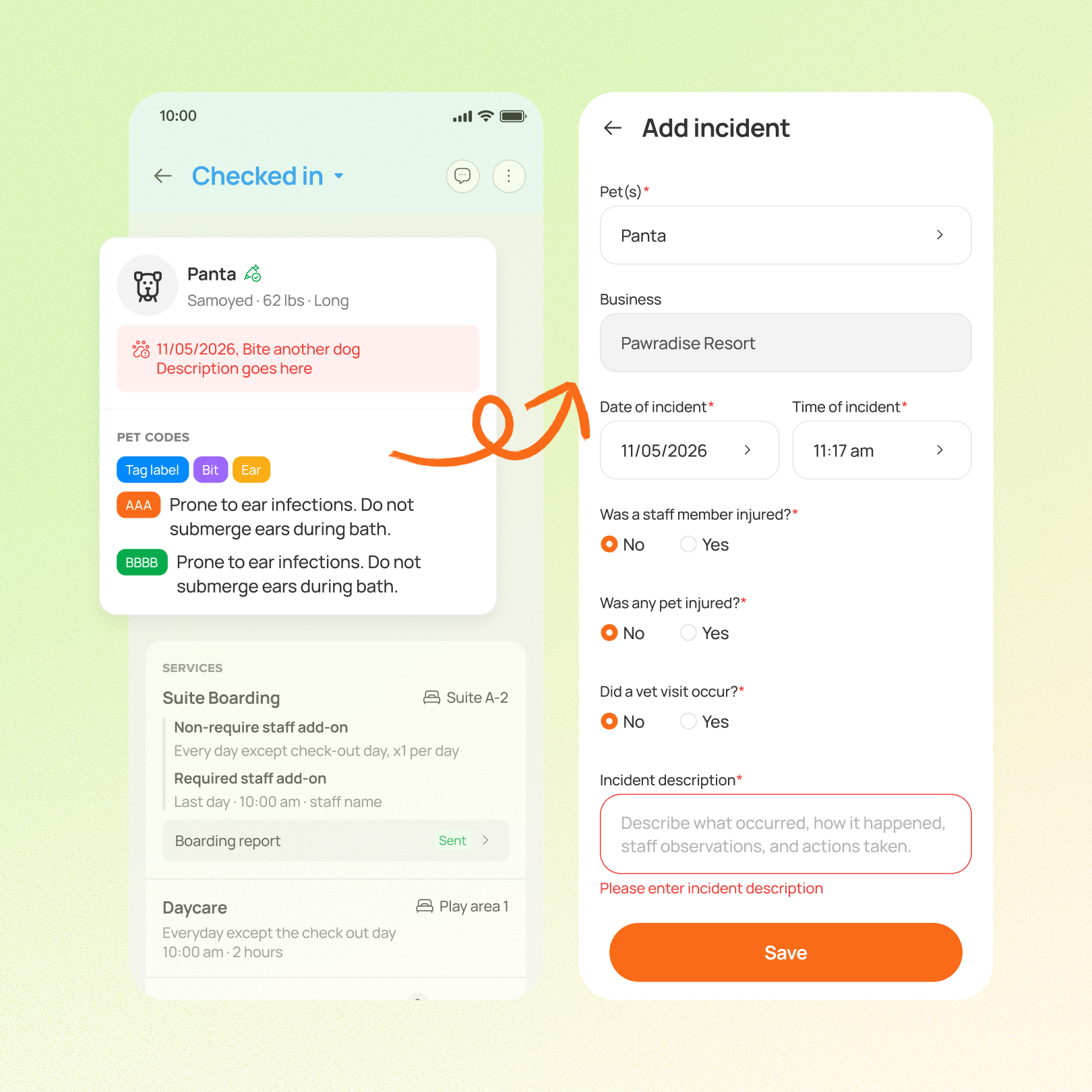
Boarding and daycare staff can now record pet incidents directly in Team App, without returning to a computer. Incident history is also easier to spot during daily care and shift handoffs, with indicators on Home cards and task details and recent history in appointment views.
Prerequisite:
This feature requires you to enroll in the New Reservation Experience. Contact our 24/7 support chat or your account manager to set this up.
Use case:
A handler notices an injury during playgroup. They open the pet’s profile in Team App, go to Incident, and record it on the spot. At shift change, the next handler sees the incident indicator on the pet’s Home card and the recent history in the appointment view.
👉 How to access
- In Team App, go to Pet profile → Incident
- Add, edit, or delete an incident
- See incident indicators on Home cards and task details, and recent history in appointment views
⚠️ Note
- Update your Team App first, and staff need the “Create or edit incident report” permission
- Deleting an incident removes it from every pet linked to it
- Incident-created notifications are still desktop only and there’s no mobile push
Platform Availability

Before You Start
-
Plan availability: Growth, Ultimate
- Business Type: Boarding & Daycare