Powered by the MoeGo Team & MoeGo Community 🧡
New Features
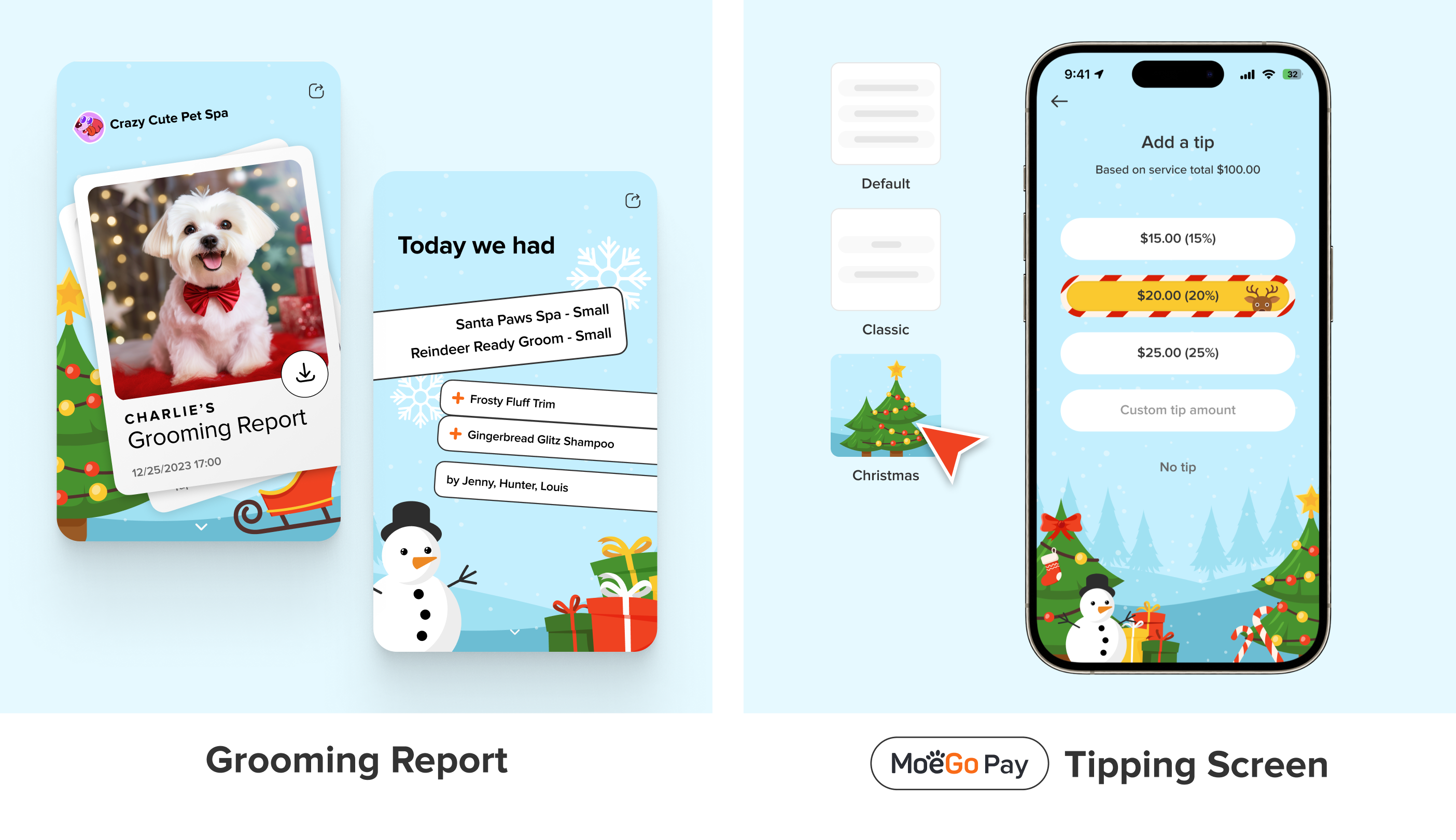
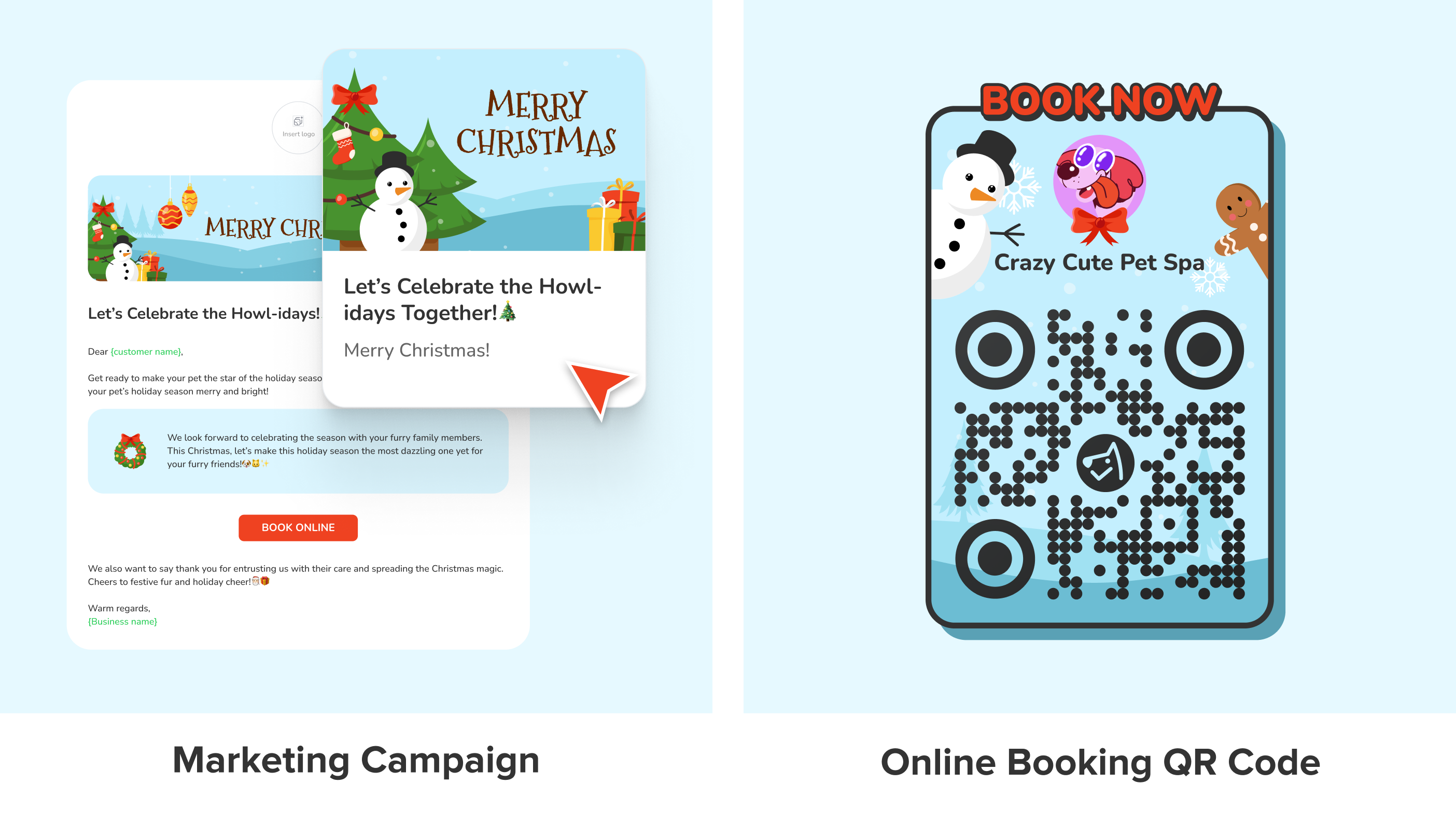
🎄 Christmas Themes for Your Digital Assets
✅ Desktop: Tipping Screen & Marketing Campaigns
✅ Desktop & Mobile App: Grooming Report & Online Booking QR Code
We have launched the new Christmas theme for the Grooming Report, Tipping Screen, Marketing Campaigns, and Online Booking QR Code. Infuse your grooming services with a festive flair and spread holiday cheer in your client interactions. Learn more about how to switch to the theme here.
💰 Create, Manage, and Apply Discounts to Boost Sales
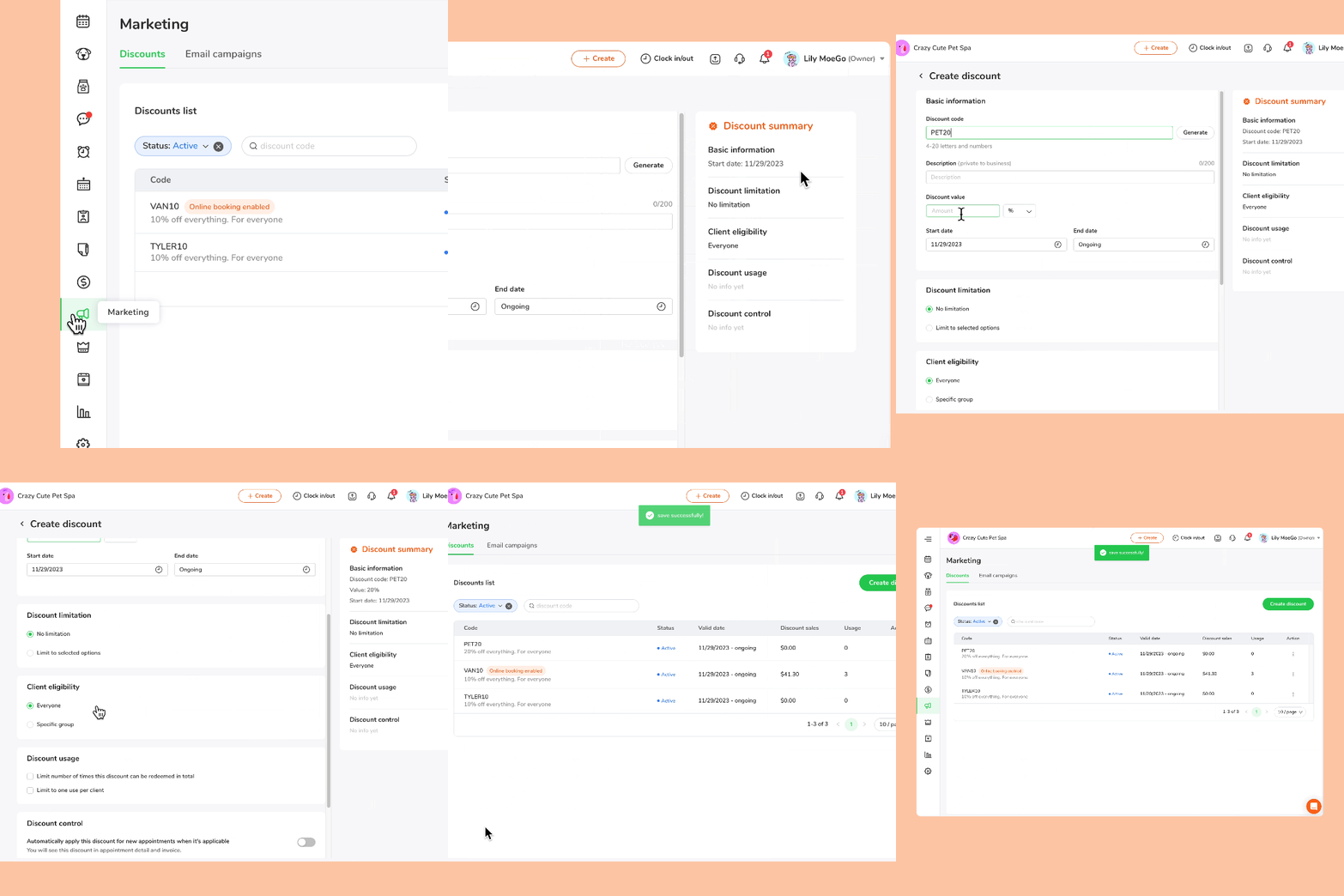
Marketing
✅ Desktop: Manage discount code, View discount list
✅ Desktop & Mobile App: Check out with discount code
We’ve introduced our highly-anticipated Discount Code system! Simply navigate to Marketing > Discounts to create codes, set limitations, and manage the list of discounts in just a few clicks. In addition to applying at checkout, you can set the codes to be redeemable for your clients in Online Booking. See wiki for more details on setting up.
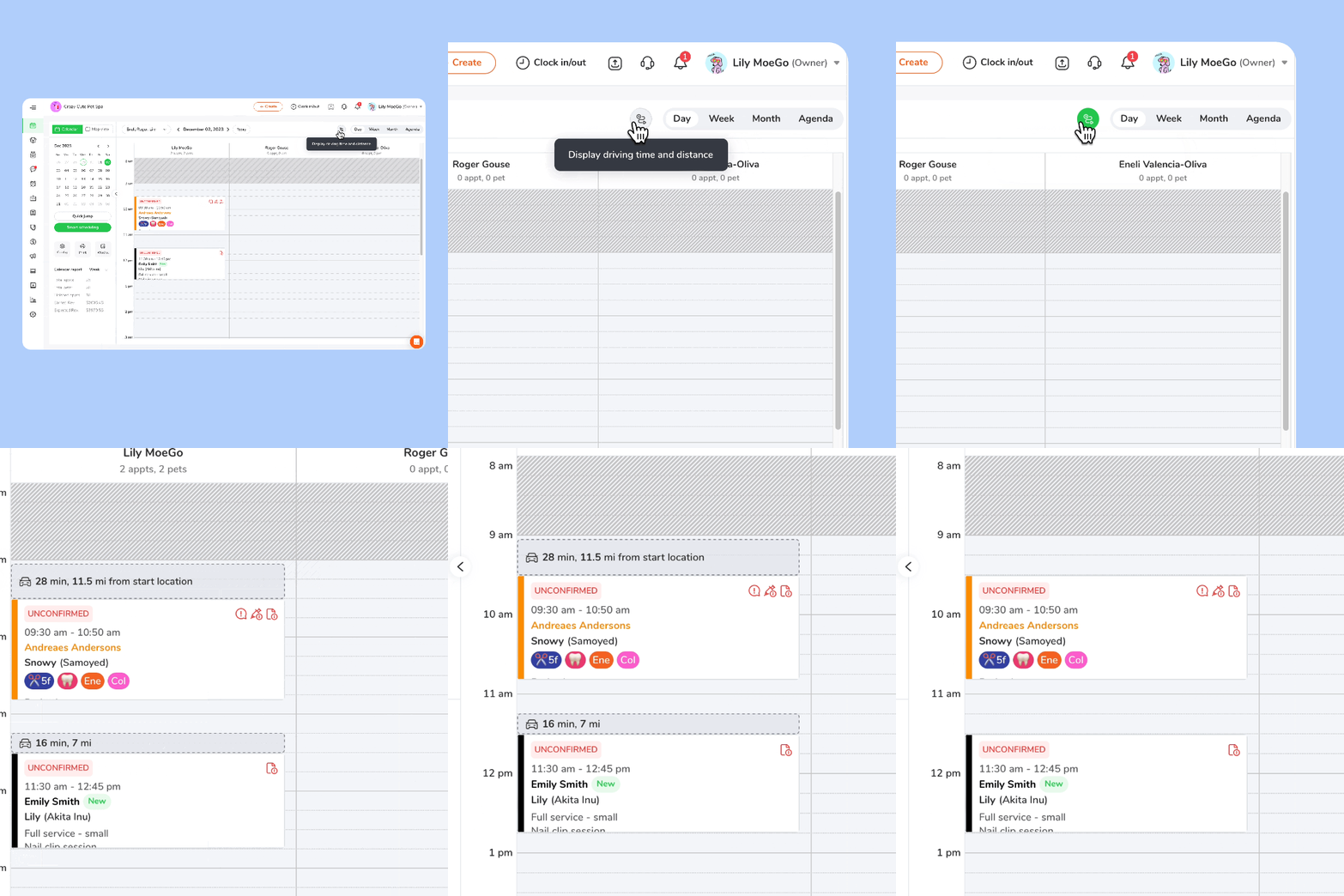
🚚 Display Driving Time and Distance Between Appointments on Desktop
Appointments
✅ Desktop & Mobile App
We’ve released the Display Driving Time and Distance on MoeGo’s Desktop version! By automatically calculating the time and distance between appointments, this Desktop feature empowers owners and admins to effortlessly schedule and manage shifts for their grooming team efficiently. Learn more about it here.
Enhancements
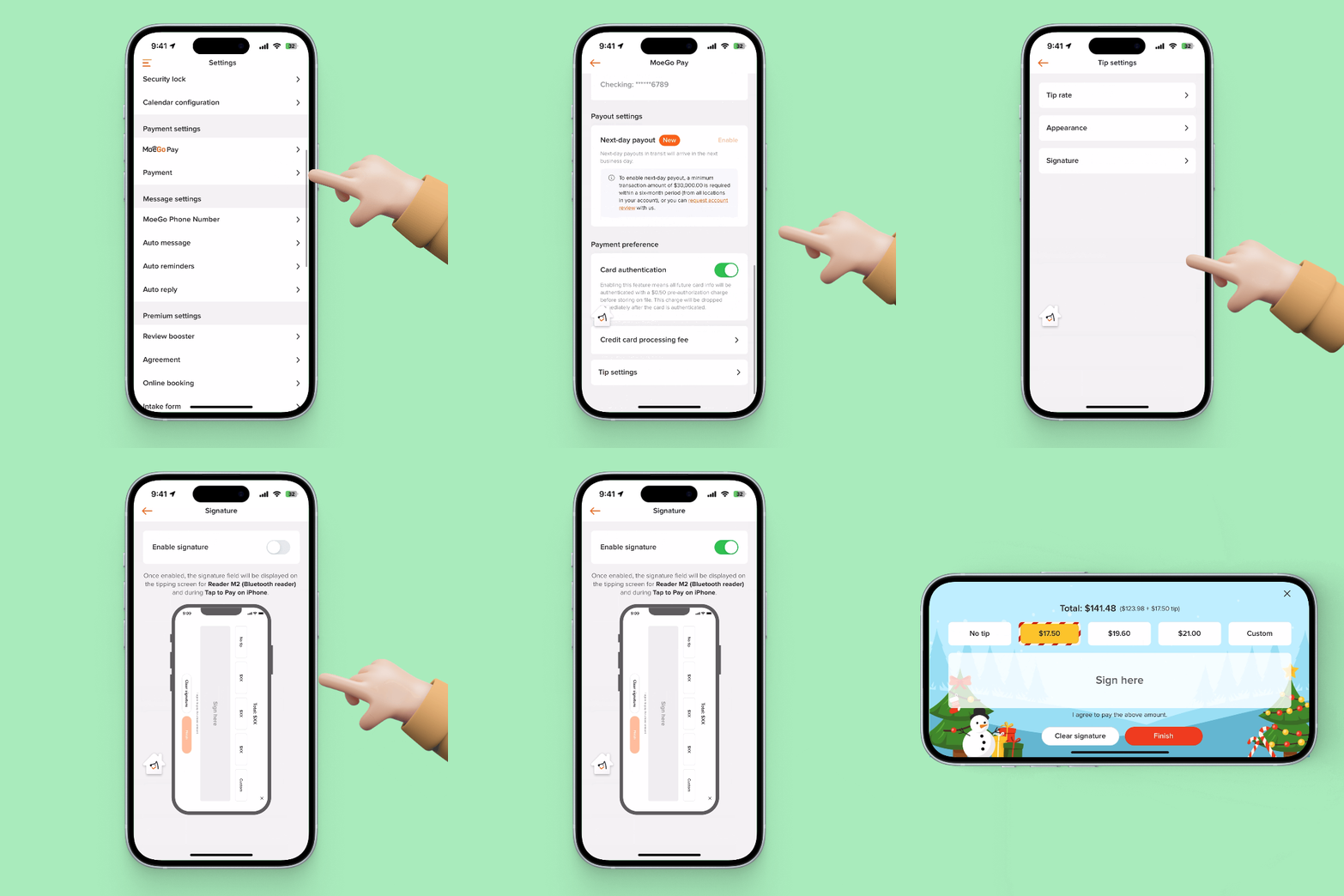
🖊️ Enable Signature on Tipping Screen for MoeGo Pay on App
MoeGo Pay
✅ Mobile App
We’ve made improvements to the Tip settings for MoeGo Pay users, making it an option to Enable Signature on the Tipping Screen for payment flows in Reader M2 and Tap to Pay on iPhone. See wiki for more details on its setup.
To display the signature field on your Tipping Screen, simply follow these steps:
- Open your MoeGo App, go to Setting > MoeGo Pay > Tipping Setting
- Click on < Signature >
- Toggle on the < Enable signature > switch