#Enhancement
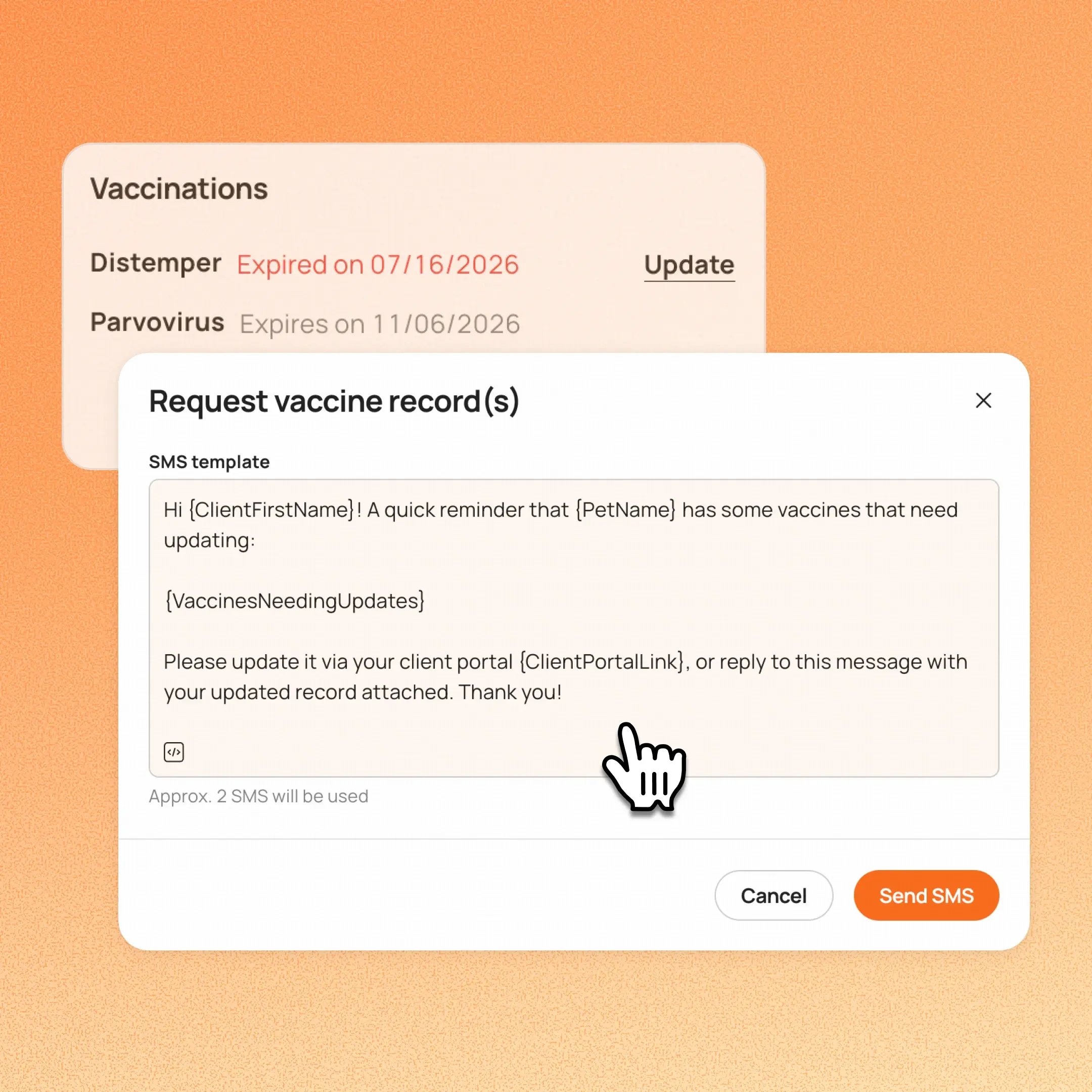
Staff can now edit the SMS message when requesting vaccine records, instead of being limited to a fixed template. Once edited, that version becomes the default for all future requests at that business.
👉 How to access
- Go to Appointment details → Vaccination alert next to pet → Request vaccine record(s) → SMS.
- Edit the pre-filled message (placeholders like {ClientFirstName} and {PetName} still work), then hit Send.
- Your edit becomes the new default for future requests.
Notes:
- Only SMS is editable right now. Email remains fixed.
- Vaccine record request SMS is recorded as a manual Message Center conversation (2-way messaging).
Platform Availability
Web version
Mobile version
Availability


How to access
Appointment details → Vaccination alert next to pet → Vaccinations → Request vaccine record(s) → SMS
N/A
Before You Start
-
Plan availability: All plans