#Enhancement
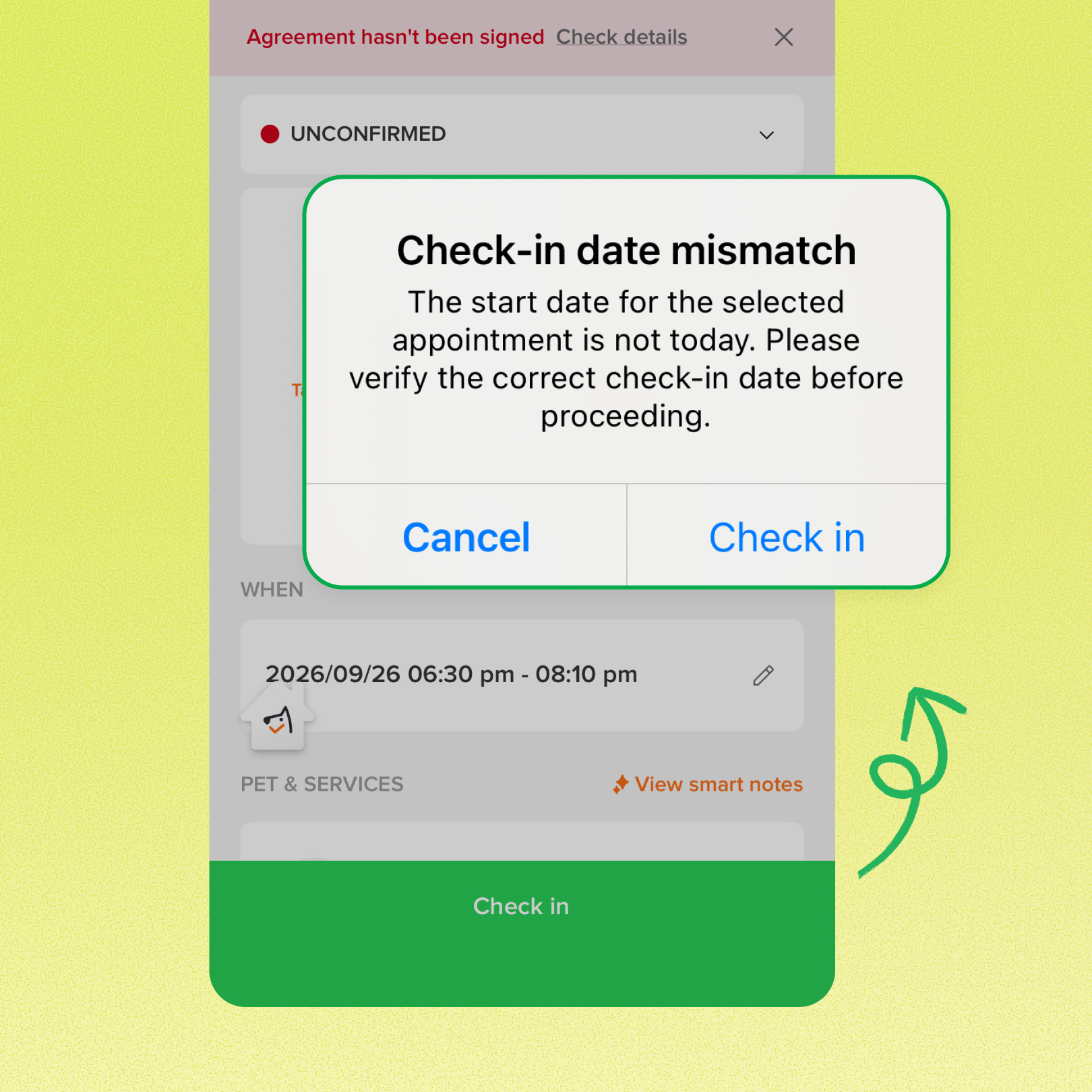
The mobile app now shows a “Check-in date mismatch” warning when an appointment’s start date is before or after today. This brings the date warning already available on desktop to the mobile app, giving staff a chance to double-check before changing the appointment’s status.
Use case:
A groomer opens an appointment from the mobile app and goes to check it in, but it’s actually booked for tomorrow. The warning appears, so they can catch the mistake before the appointment’s status changes.
👉 How to access
- Check in an appointment from the mobile app
- If the appointment’s start date is before or after today, the “Check-in date mismatch” warning appears
⚠️ Note
- For multi-day stays, the check uses the appointment’s start date. Checking in on a later day of the stay still shows the warning
- This update covers mobile app check-in only. Checkout is unchanged.
Platform Availability
Web version
Mobile version
Availability

How to access
Appointment check-in
Appointment check-in
Before You Start
-
Plan availability: All plans
- Business Type: Grooming, Boarding & Daycare