Share this
by MoeGo on Apr 15, 2026, 2:39:37 PM
If your front desk feels rushed at check-in or slow at checkout, it usually comes down to invoicing.
Boarding & Daycare businesses don’t run on single transactions, causing invoicing to split across too many steps with their own problems:
- Before arrival: Pricing gets explained at drop-off, clients ask for quotes last minute, and deposits aren’t consistently collected.
- During stay: Services get added along the way, payments and deposits are hard to track, and your staff aren’t always sure what’s been paid
- After checkout: Small mistakes turn into full invoice re-dos, payments are chased across multiple visits, and reports don’t always match what actually happened
Your schedule is full. Your team is busy. But billing feels messy.
To fix it, invoicing needs to run as one connected workflow from booking to payment.
Smarter Invoices: Faster Check-Ins, Cleaner Checkouts
Smarter Invoice is built to connect these fragmented steps into a single workflow.
It’s now available to all MoeGo Boarding & Daycare users and will become the default workflow going forward.
👉 If you are an Owner: schedule time to switch your team over.
👉 If you are a Staff: make sure this is on your owner’s radar so you can start using a cleaner, more accurate invoice workflow.
Here’s how it helps out in your day-to-day:
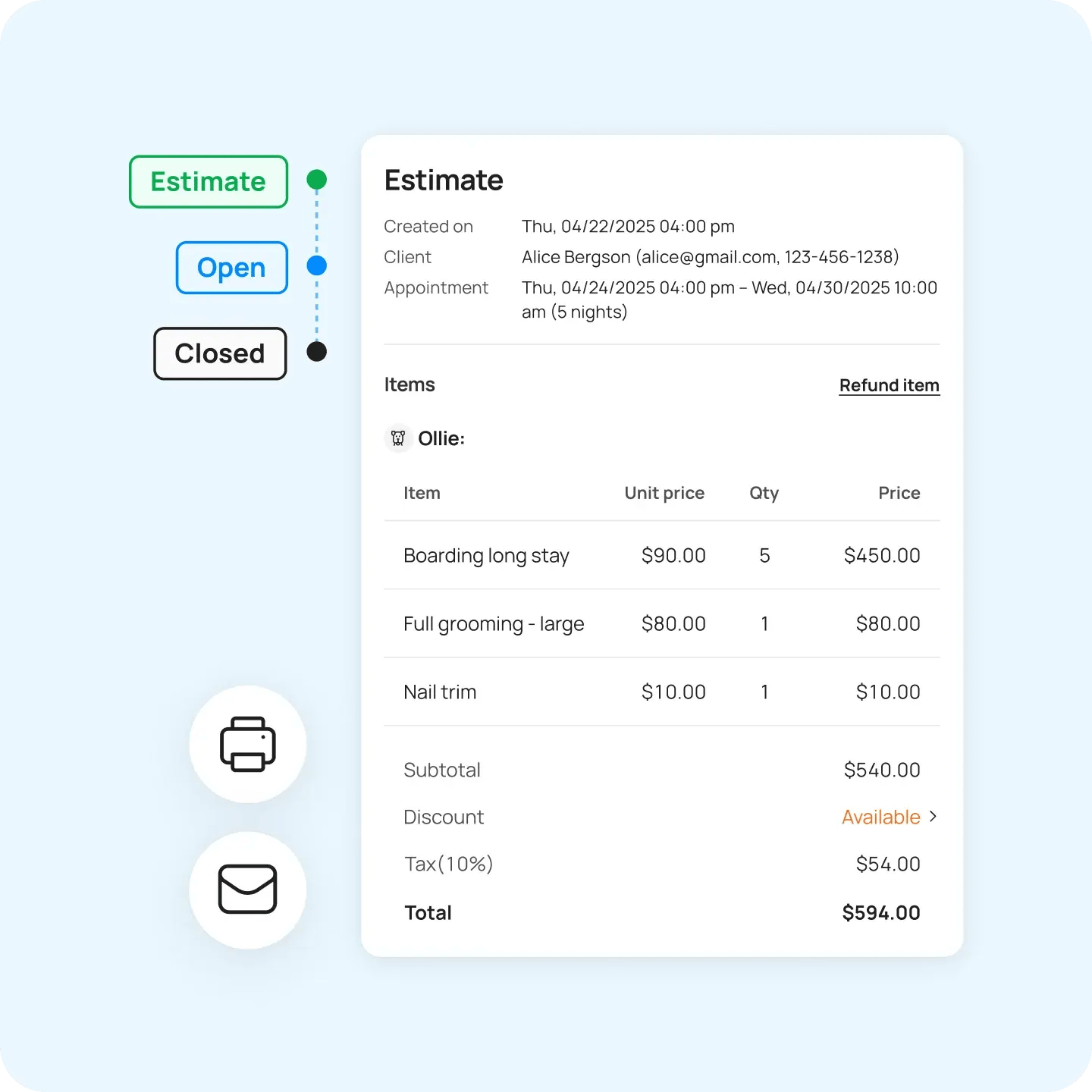
1. “Can I get a quote first?”
What usually happens:
At check-in, your team explains services and pricing while other customers are waiting.
With Smarter Invoice, you can
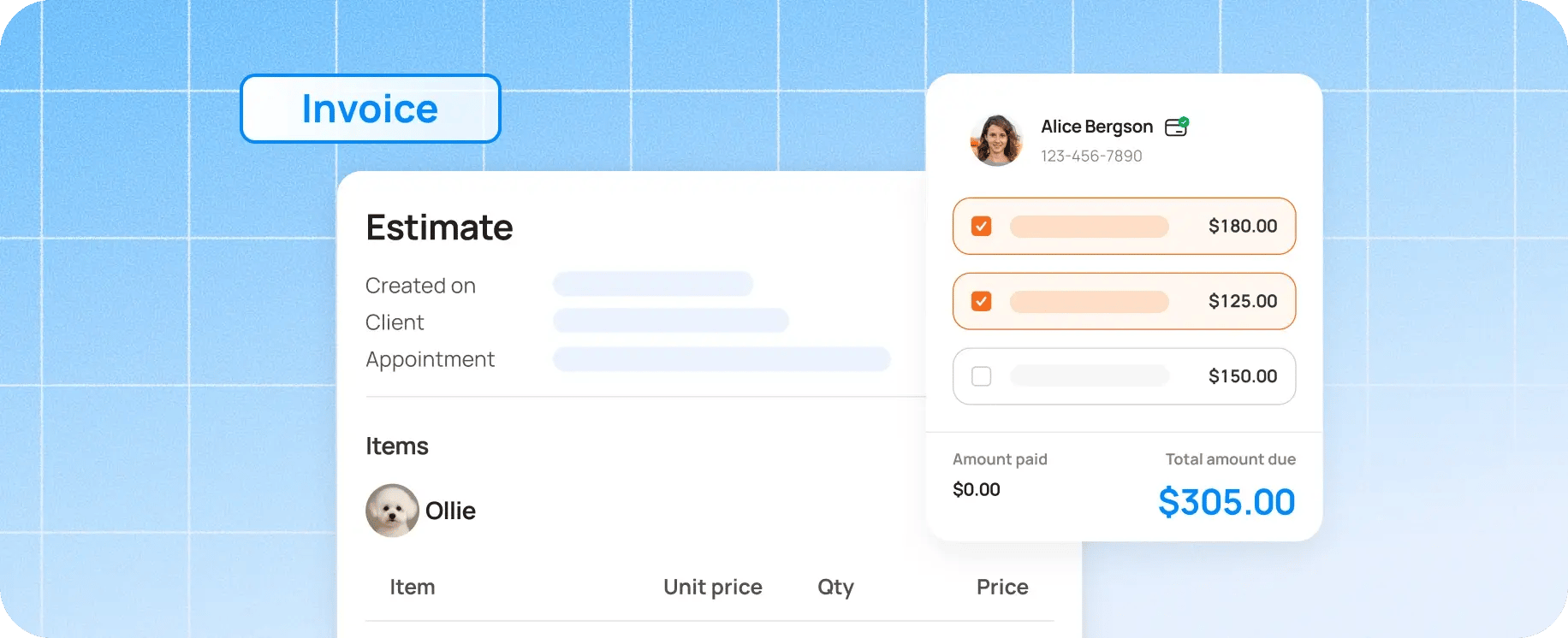
- Send an estimate before arrival
- List all services and pricing
- Add notes or details
- Get approval ahead of time
👉 No more explaining pricing at checkout or dealing with surprises.
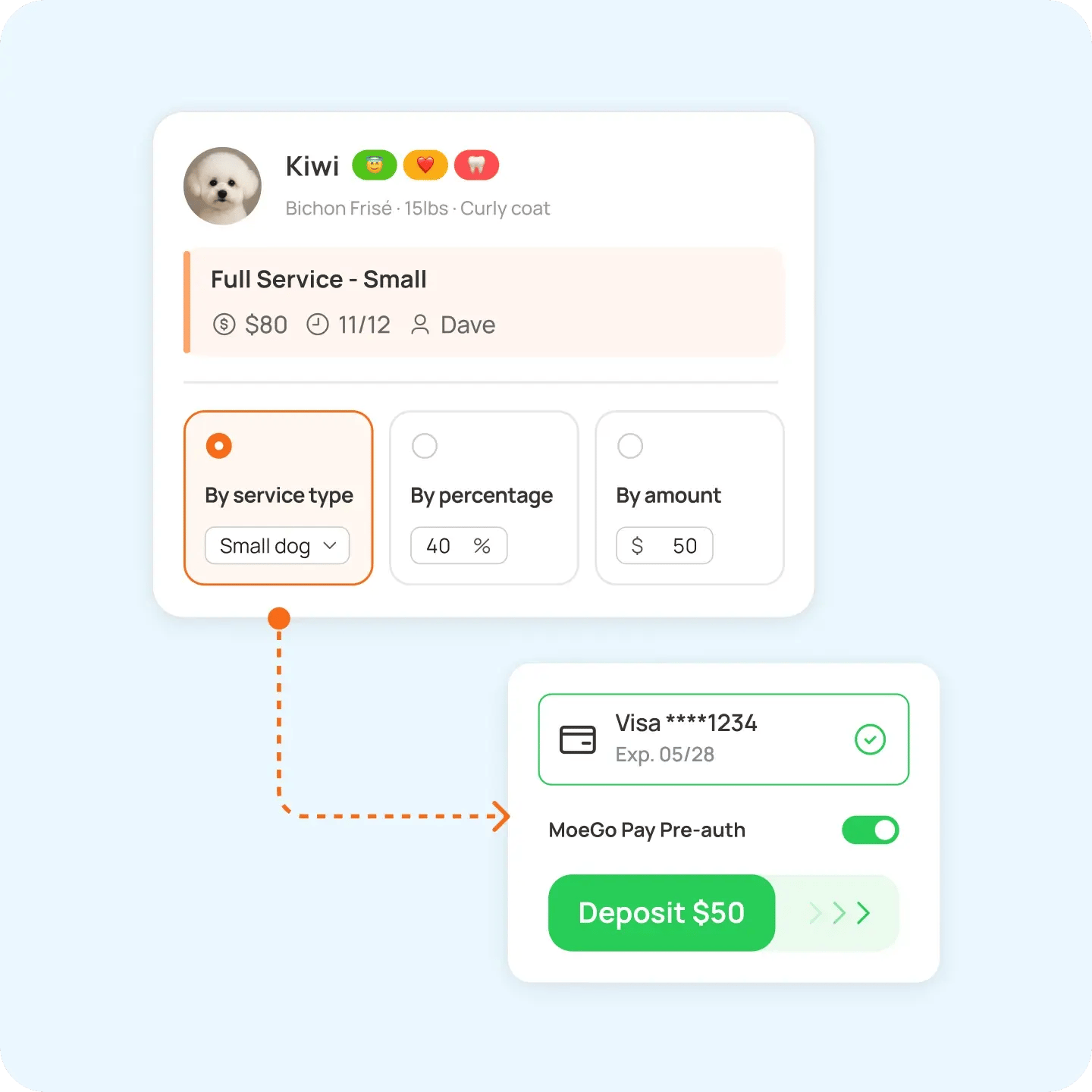
2. “Did we collect a deposit for this?”
What usually happens:
Some bookings have deposits, some don’t. Staff double-check or guess.
With Smarter Invoice, you can
- Set deposit rules by service, date, or customer:
- Prompt staff automatically during booking
- Track everything directly on the invoice
👉 No more guessing what’s been paid. It’s all tracked for you.
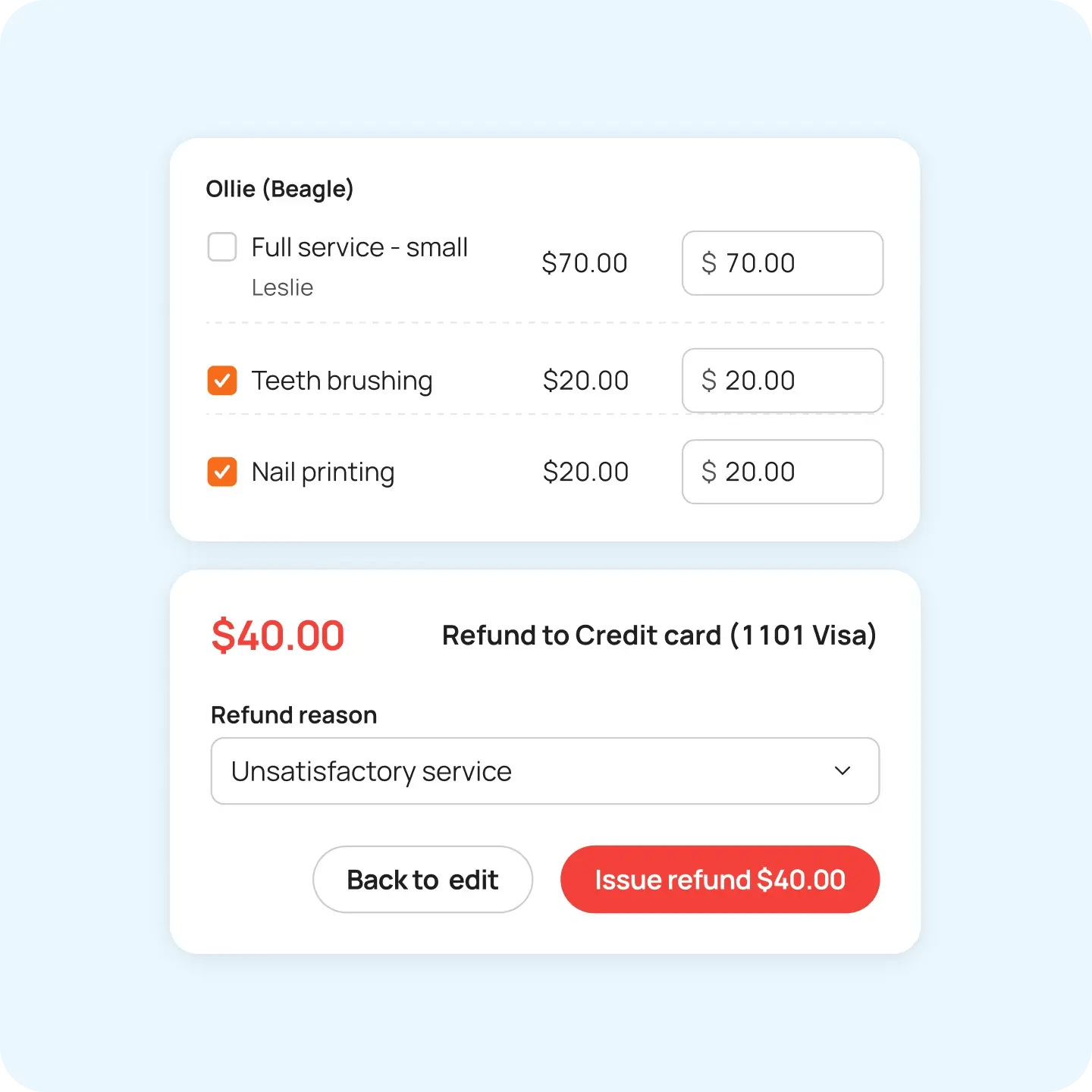
3. “We need to fix this small thing… Do we have to redo the whole invoice?”
What usually happens:
A small change leads to voiding and recreating the entire invoice.
With Smarter Invoice, you can:
- Refund a single service or product
- Keep the rest of the invoice intact
- Automatically record the change
👉 Clean fix. Corrections take seconds.
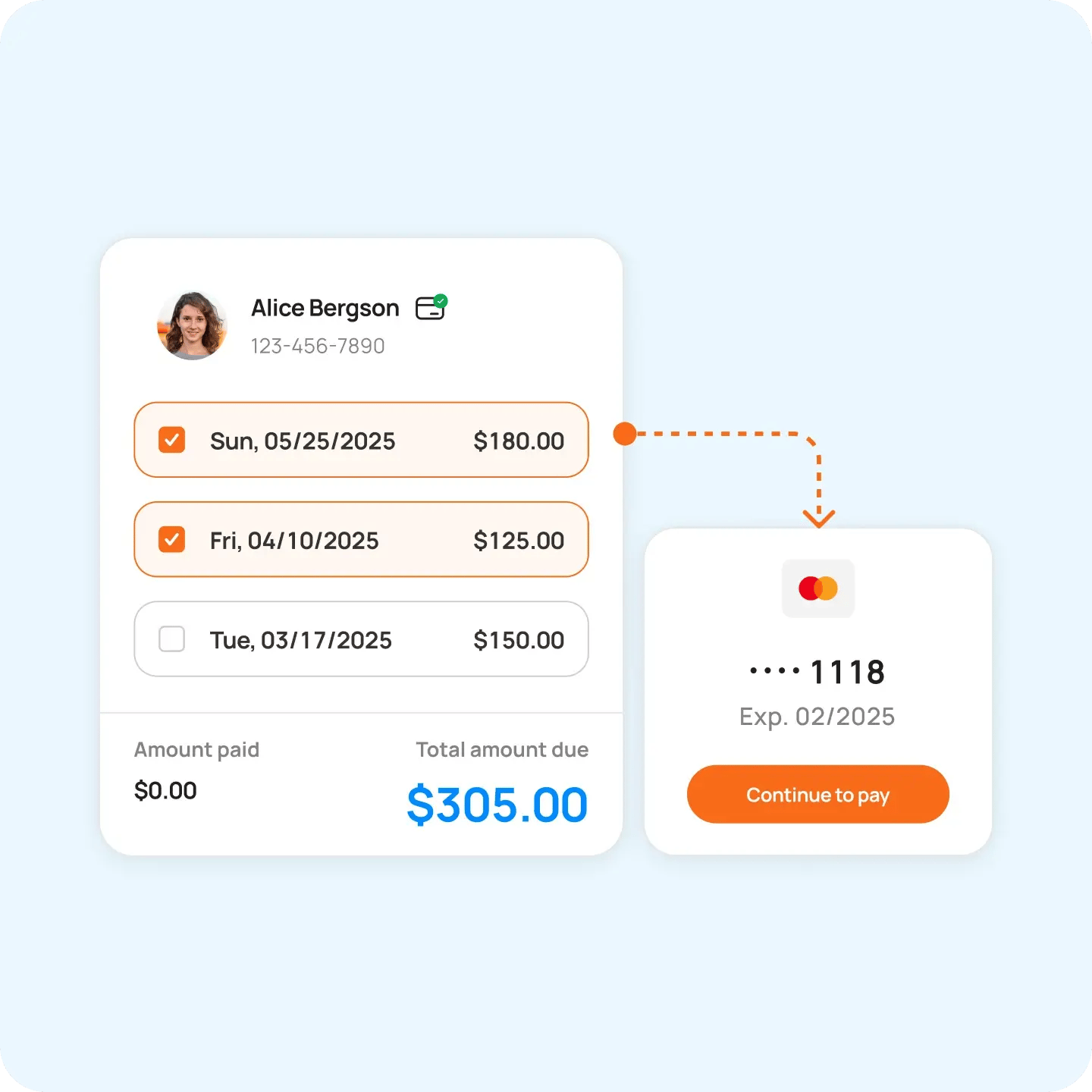
4. “I want to take a few payments at once.”
What usually happens:
Clients have multiple unpaid invoices. Staff collect one at a time through repetitive workflows.
With Smarter Invoice:
- View all unpaid visits
- Combine them
- Take one bulk payment
👉 Faster checkout and less awkward follow-ups.
What Smarter Invoice Fixes for Your Team
When invoicing runs as one workflow:
- Check-ins move faster
- Staff spend less time double-checking
- Billing errors are easier to fix
- Payments don’t pile up
This shows up immediately in daily operations, especially during busy boarding days and peak daycare hours.
Ready to start?
If you haven’t made the switch yet, now’s a good time to get it set up so your team can start using it day-to-day.
Want to see how it works first? View our step-by-step guides and videos.
Need a hand? Our 24/7 support team is ready to help you plan your move.

Just starting or adding to your business?
We have flexible plans meant for all stages.


Holiday Grooming Add-Ons: How to Build a Seasonal Menu That Sells Itself

How KLŌS Fine Pet Salon Turned Milton, Georgia's Most Discerning Zip Code Into Its Biggest Advantage