Share this
by MoeGo on Apr 6, 2026, 9:00:00 AM

Most Grooming Businesses Don’t Switch Software — Until Something Breaks
At the beginning, most systems feel “good enough.”
- Google Calendar works
- Texting clients works
- Spreadsheets work
Until they don’t.
The breaking point usually looks like this:
- You’re fully booked, but revenue isn’t growing
- Admin work is bleeding into nights and weekends
- You can’t see performance clearly across staff or locations
- No-shows and missed follow-ups quietly drain revenue
At that stage, scheduling software is no longer a convenience.
It becomes operational infrastructure.
The Real Question: What Is Your Current System Actually Costing You?
Most operators underestimate this.
Not because they don’t track revenue —
but because they don’t track lost efficiency.
From your current system :
- 10–20 hours/week in admin
- 10–25% revenue loss from no-shows
- fragmented data across tools
- missed upsell and rebooking opportunities
👉 These are not small inefficiencies.
They are structural limits to growth.
Quick Answer: What Is the Best Grooming Scheduling Software?
For growing grooming businesses:
- Best overall: MoeGo — designed specifically for high-volume and multi-location operations
- Basic tools: Simple booking apps — work early, but limited as you scale
- DIY setup: Lowest upfront cost, highest long-term cost
The right choice depends on:
- how many appointments you manage
- how complex your operations are
- how much visibility and control you need
When Do You Actually Need Professional Scheduling Software?
Most businesses make the switch at one of these points:
1. Expansion
- Opening another location
- Hiring more staff
- Increasing daily volume
2. Loss of Visibility
- You can’t easily see daily revenue or performance
- You rely on staff updates instead of real-time data
- Reporting is manual and delayed
3. Revenue Pressure
- You’re busy, but margins aren’t improving
- No-shows are increasing
- Client retention is inconsistent
If you’re experiencing any of these, your current system is already holding you back.
The Hidden Economics of “Free” and “Cheap” Tools
The biggest misconception: “I’m saving money by not paying for software.”
In reality, most costs are hidden in time, inefficiency, and missed revenue.
Example from a real grooming business:
- Admin time: $35,000+ annually
- No-show losses: $14,000+ annually
- Routing inefficiencies: $8,000+ annually
→ Total hidden cost: $60,000+ per year
After switching to a professional system:
- Software cost: ~$1,800/year
- Revenue increased significantly through better efficiency and reduced no-shows
ROI Framework: How to Evaluate Scheduling Software

Instead of focusing on subscription price, evaluate operational impact.
1. Time Recovery
What to measure:
- Hours spent scheduling
- Payment tracking
- Client communication
What strong systems deliver:
- ~75% reduction in admin time
2. Revenue Protection
What to measure:
- No-show rate
- missed follow-ups
- unused capacity
What strong systems deliver:
- 50–70% reduction in missed appointments
3. Capacity Expansion
What to measure:
- Daily utilization
- gaps in schedule
What strong systems deliver:
- 15–25% more appointments without adding staff
4. Decision Visibility
What to measure:
- How quickly you can see:
- daily revenue
- staff productivity
- location performance
What strong systems deliver:
- Real-time dashboards
- Centralized reporting
The Real Comparison: DIY vs Basic vs Professional
| Category | DIY Tools | Basic Software | Professional Platform |
|---|---|---|---|
| Admin Time | 12 hrs/week | 6 hrs | 2 hrs |
| No-show Rate | 15–20% | 8–12% | 3–7% |
| Visibility | Fragmented | Limited | Real-time |
| Scalability | Low | Moderate | High |
| Annual Cost | $31K–45K | $8.5K–12K | $3.2K–5.8K |
The lowest monthly cost is often the highest total cost.
What Actually Matters by Business Type
Mobile Grooming
- Route optimization (directly impacts profit per mile)
- Real-time coordination
- Offline functionality
Small inefficiencies compound quickly when you’re on the road.
Salon or Multi-Location Operations
- Staff utilization tracking
- Centralized scheduling rules
- Consistent client experience
Inconsistent operations across locations lead to lost revenue and brand risk.
How MoeGo Supports Scalable Operations
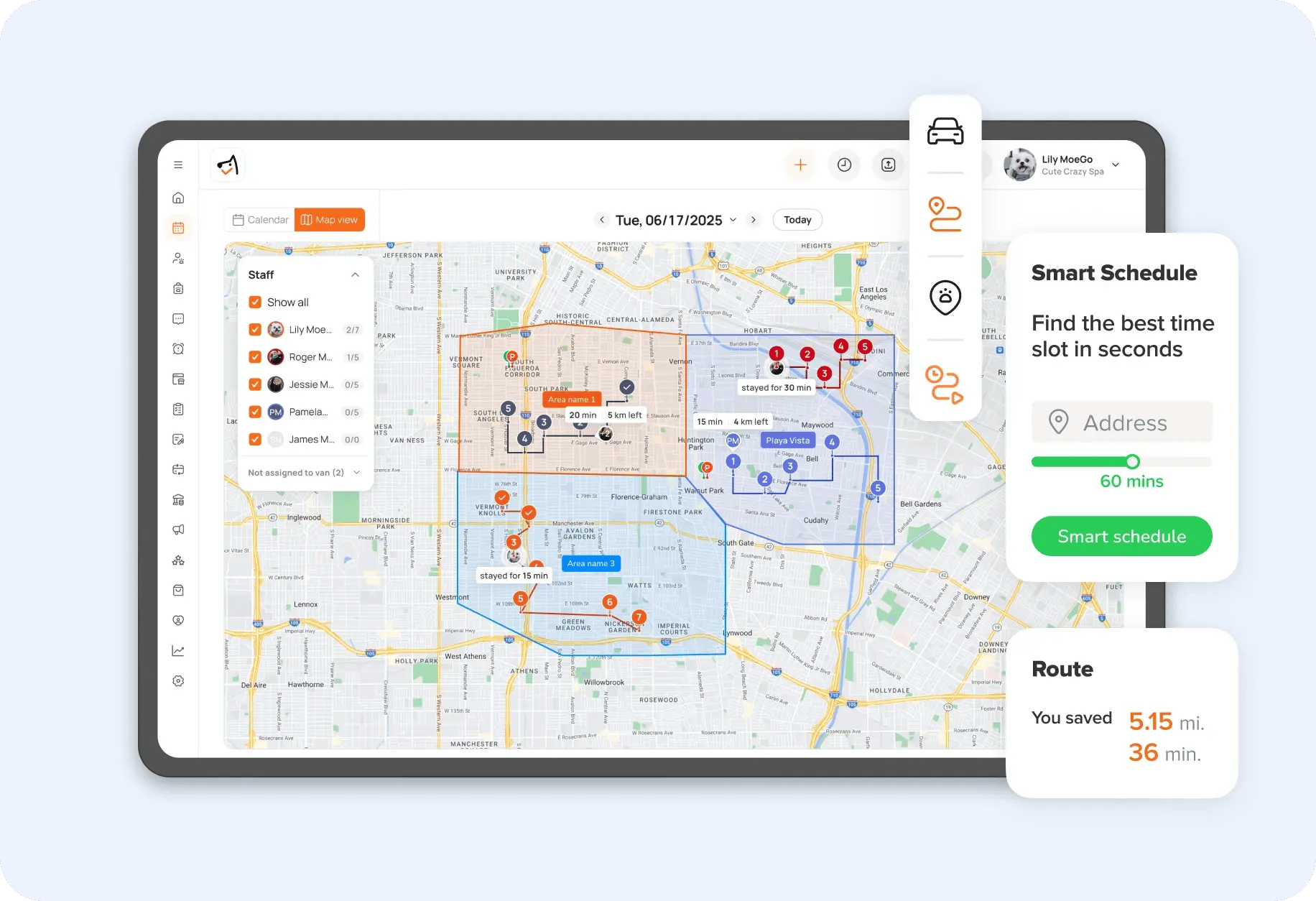
Feature: Smart Scheduling & Capacity Control
How It Works
Centralized booking system that manages availability, staffing, and service rules
Operational Impact
- Eliminates double booking
- Standardizes scheduling across your business
Business Outcome
- Higher utilization
- More predictable daily revenue
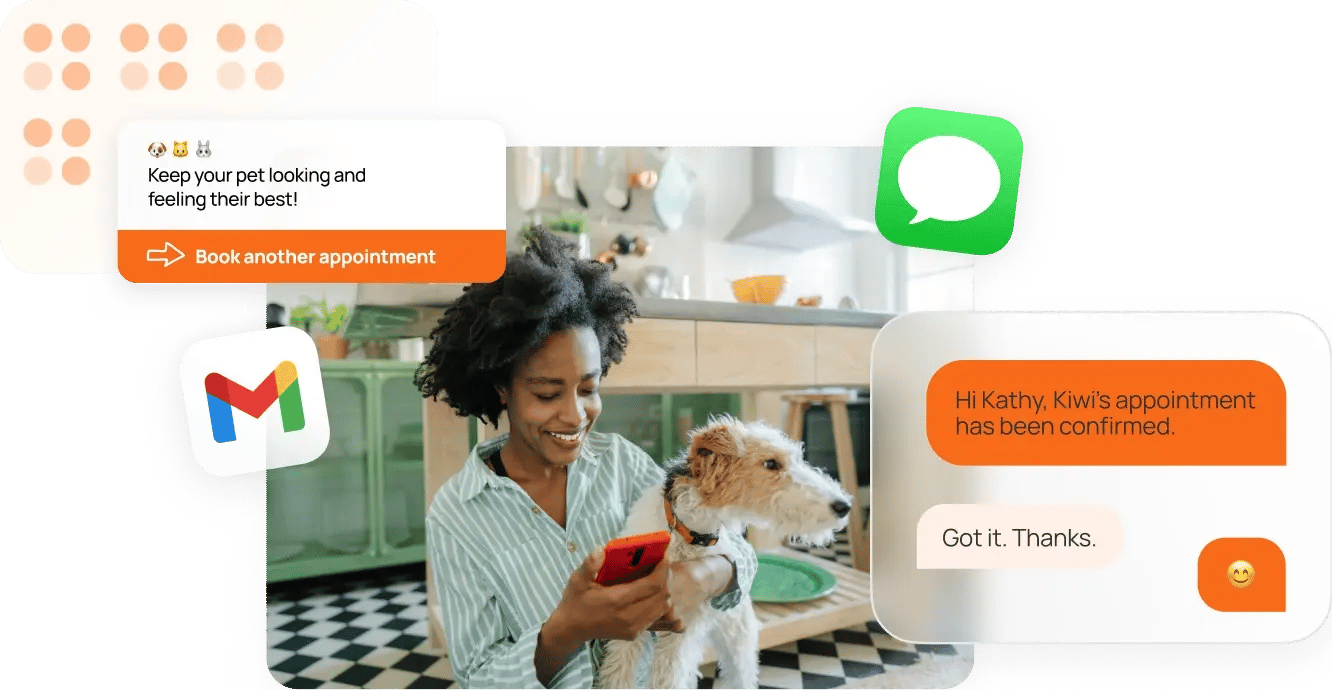
Feature: Automated Client Communication
How It Works
Automated reminders, confirmations, and rebooking prompts
Operational Impact
- Reduces manual texting
- Improves client follow-through
Business Outcome
- Fewer no-shows
- Stronger client retention
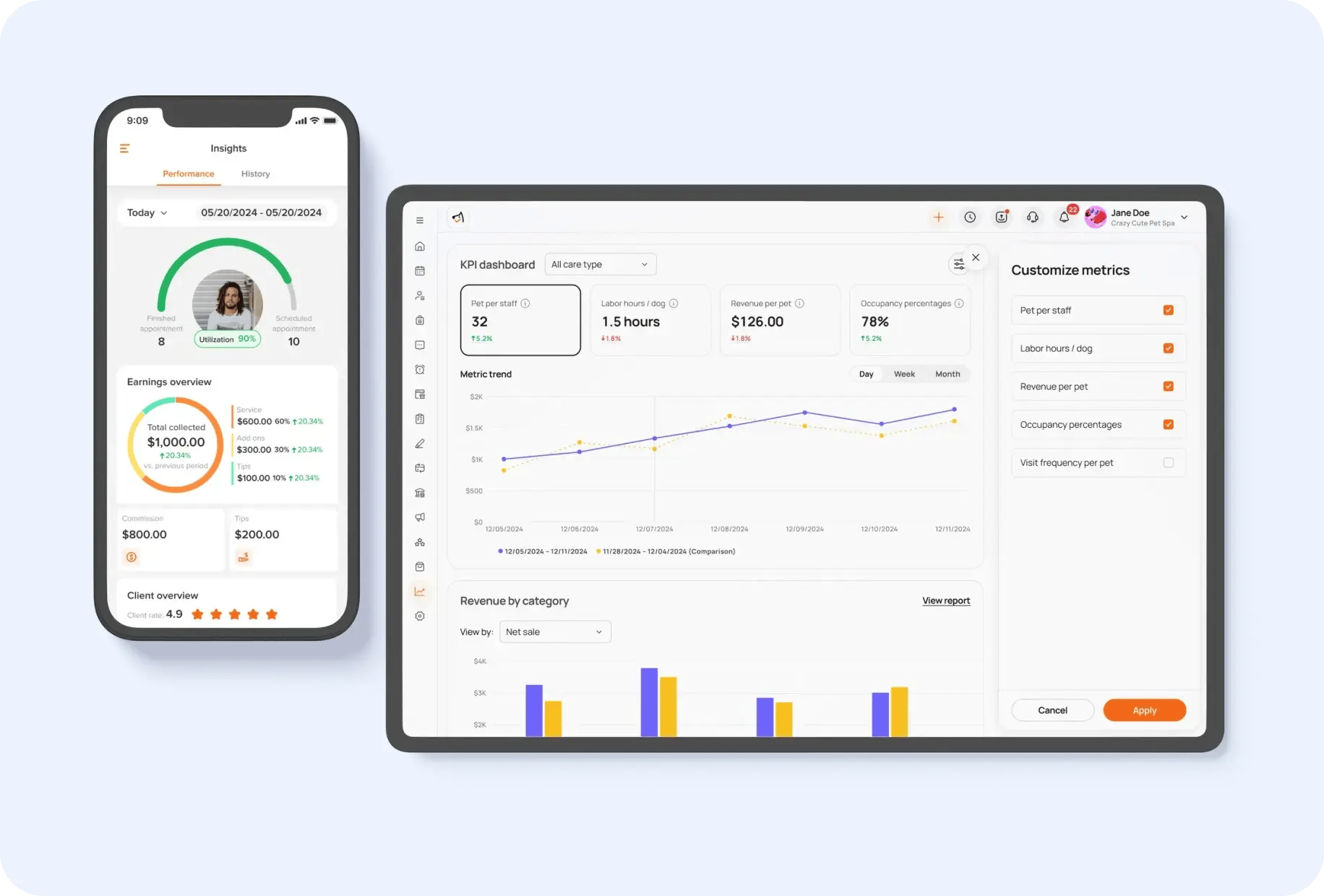
Feature: Unified Business Dashboard
How It Works
Real-time reporting across appointments, revenue, and staff performance
Operational Impact
- Eliminates manual reporting
- Provides clear visibility into operations
Business Outcome
- Faster decision-making
- Early detection of underperformance
Feature: All-in-One Business System
How It Works
Scheduling, payments, CRM, and communication in a single platform
Operational Impact
- Removes duplicate data entry
- Reduces system fragmentation
Business Outcome
- Lower operational friction
- Infrastructure that scales with your business

Implementation Reality: What to Expect
Most businesses see meaningful improvements within 30–60 days.
The key is not speed but structure:
- Start with core workflows (booking, payments, reminders)
- Train your team properly
- Add advanced features gradually
The businesses that succeed treat implementation as an operational upgrade — not just a software switch.
Week 1: Preparation and Setup
- Days 1-2: Data audit and cleanup
- Export existing client information
- Standardize contact details and service history
- Identify data gaps that need manual completion
- Days 3-5: Software configuration
- Set up service menus and pricing
- Configure staff schedules and permissions
- Integrate payment processing and accounting tools
- Days 6-7: Testing and validation
- Process test appointments and payments
- Verify data accuracy and system functionality
- Train initial team members on basic features
Week 2: Soft Launch
- Days 8-10: Limited rollout
- Migrate 25% of regular clients
- Process real appointments alongside old system
- Monitor for issues and optimize workflows
- Days 11-14: Team training expansion
- Train all staff members on relevant features
- Establish standard operating procedures
- Create quick-reference guides and troubleshooting resources
Week 3: Full Implementation
- Days 15-17: Complete migration
- Transfer all client data and appointments
- Discontinue old systems and processes
- Implement automated workflows and communications
- Days 18-21: Optimization and refinement
- Analyze performance metrics and user feedback
- Adjust settings and workflows for maximum efficiency
- Address any remaining training needs or technical issues
Week 4: Performance Monitoring
- Days 22-28: Metrics tracking
- Compare no-show rates, appointment capacity, and revenue
- Gather client feedback on new booking and payment processes
- Document improvements and calculate ROI
- Days 29-30: Future planning
- Identify additional features to implement
- Plan for business growth and scaling
- Schedule regular system reviews and optimizations
Many providers offer guided onboarding, using their team alongside this calendar can make implementation even faster and easier.
Measuring Success: KPIs That Matter
Tracking the right metrics helps you prove your investment is paying off and shows where you can keep improving. Look for built-in reports or KPI dashboards to make tracking easy.
Here’s a quick lowdown on what to watch out for:
Category |
Key Metrics to Track |
What to Look For |
|
Operational Efficiency Metrics |
|
|
|
Financial Performance Indicators |
|
|
|
Client Satisfaction Measures |
|
|
FAQ: Pet Grooming Scheduling Software
What is pet grooming scheduling software?
Pet grooming scheduling software is a system that manages appointments, client information, payments, and communication in one place.
Unlike basic calendars, it is designed specifically for pet care businesses, allowing you to:
- manage recurring appointments
- track pet-specific details
- automate reminders and follow-ups
- monitor business performance
For growing businesses, it becomes the central system that keeps daily operations organized and consistent.
What is the best grooming scheduling software?
The best software depends on how complex your operations are.
- For high-volume or growing businesses: Platforms like MoeGo provide centralized scheduling, automation, and reporting needed to scale
- For early-stage businesses: Simpler booking tools may work temporarily but often lack the structure needed as demand increases
The key is choosing a system that can support your next stage of growth, not just your current workload.
How much does grooming scheduling software cost?
Most professional grooming software ranges from:
- $50 to $250 per month, depending on features and business size
However, the subscription cost is only part of the picture.
Many businesses using manual or low-cost tools lose significantly more through:
- admin time
- missed appointments
- inefficient scheduling
The real comparison is total operational cost, not just monthly fees.
Is grooming scheduling software worth it?
Yes, when evaluated based on operational impact.
Most businesses see value through:
- reduced admin time (often 60–75%)
- fewer no-shows (typically reduced by 50% or more)
- increased booking capacity (15–25% more appointments)
The return comes from improved efficiency and revenue stability, not just convenience.
How does scheduling software reduce no-shows?
Scheduling software reduces no-shows through automation and consistency.
This typically includes:
- automatic SMS and email reminders
- confirmation requests
- cancellation and rescheduling flows
Without automation, reminders rely on manual effort, which leads to missed follow-ups and lost revenue.
Can grooming scheduling software increase revenue?
Yes, but indirectly through operational improvements.
Revenue increases typically come from:
- filling more appointment slots
- reducing missed appointments
- improving client retention through rebooking
Most businesses don’t need more demand. They need to better capture the demand they already have.
What features should I look for in grooming scheduling software?
Focus on features that impact operations, not just convenience:
- centralized scheduling and availability control
- automated reminders and client communication
- integrated payments
- reporting and performance tracking
- client and pet profiles
If you operate multiple locations or high volume, also look for:
- multi-location management
- staff performance tracking
- standardized workflows
When should I switch to professional scheduling software?
Most businesses should consider switching when:
- admin work is taking more than 10 hours per week
- scheduling errors or double bookings occur
- no-shows are affecting revenue
- it’s difficult to track performance or daily numbers
If your current system requires constant manual work, it’s likely already limiting your growth.
Can grooming scheduling software support multiple locations?
Yes, but not all platforms are built for it.
Advanced systems like MoeGo allow you to:
- manage multiple locations from one dashboard
- standardize booking rules across locations
- track performance by location and staff
This is critical for maintaining consistency and visibility as your business grows.

Just starting or adding to your business?
We have flexible plans meant for all stages.


From Pet Professional to CEO: How One Business Owner Took a 2-Week Vacation Without Her Business Falling Apart

Holiday Grooming Add-Ons: How to Build a Seasonal Menu That Sells Itself