Share this
by MoeGo on Mar 16, 2026, 9:00:00 AM
At first, the patchwork system feels smart.
Google Calendar handles appointments. Venmo collects payments. Client notes live in a notebook, or maybe a spreadsheet. On paper, it looks like a low-cost way to run a grooming business.
In practice, it rarely stays low-cost for long.
Missed reminders turn into no-shows. Client notes get buried. Staff members work from different information. Payments become harder to track. And the owner ends up spending nights and weekends holding the whole thing together.
What looked like a money-saving setup becomes an expensive source of operational drag.
That’s the real problem with generic tools: they weren’t built for how grooming businesses actually run.
As the pet grooming industry continues to grow, operators need systems that protect time, revenue, and client experience — not more apps to stitch together. This guide breaks down where generic software falls short, what those gaps actually cost, and what to look for in dog grooming software that supports profitable growth.
Why Generic Software Breaks Down in Grooming Businesses
Grooming is not a generic appointment business.
A single booking can involve breed-specific timing, coat condition, temperament notes, add-on services, pricing exceptions, rebooking needs, and, for mobile operators, routing and drive time.
Most generic scheduling apps were not designed for that level of operational complexity.
Instead, they force business owners to create workarounds:
- one app for scheduling
- another for payments
- another for reminders
- another for client notes
- and manual effort to connect everything
That manual effort is where revenue starts leaking.
The Hidden Cost of “Cheap” Systems
The biggest cost of generic tools is not the subscription fee. It is the operational friction they create every day.
That usually shows up in four places:
1. Administrative Time Loss
When scheduling, reminders, payments, and client records live in separate places, staff spend more time updating systems, checking details, and fixing mistakes.
For many groomers, that translates into hours of admin every week that could have gone to booked appointments or rest.
2. Revenue Leakage
Disconnected systems make it harder to enforce deposits, cancellation policies, and card-on-file workflows. That leaves businesses exposed to:
- no-shows
- last-minute cancellations
- undercharging
- missed add-ons
- delayed payments
3. Inconsistent Client Experience
Clients notice when a business feels fragmented. They may have to repeat pet information, wait for manual confirmations, or deal with unclear payment steps.
That hurts trust, especially when competitors offer smoother online booking and communication.
4. Growth Friction
What works for one solo groomer often breaks at two groomers, multiple vans, or a larger client base. The owner ends up becoming the human bridge between tools, which creates burnout and limits scale.
Where Generic Tools Fail
Google Calendar Is Not Grooming Software
Google Calendar is useful for basic scheduling. It is not built to manage a pet care operation.
It does not naturally handle:
- pet profiles
- breed or behavior notes
- service history
- automated conflict prevention
- rebooking workflows
- grooming-specific appointment logic
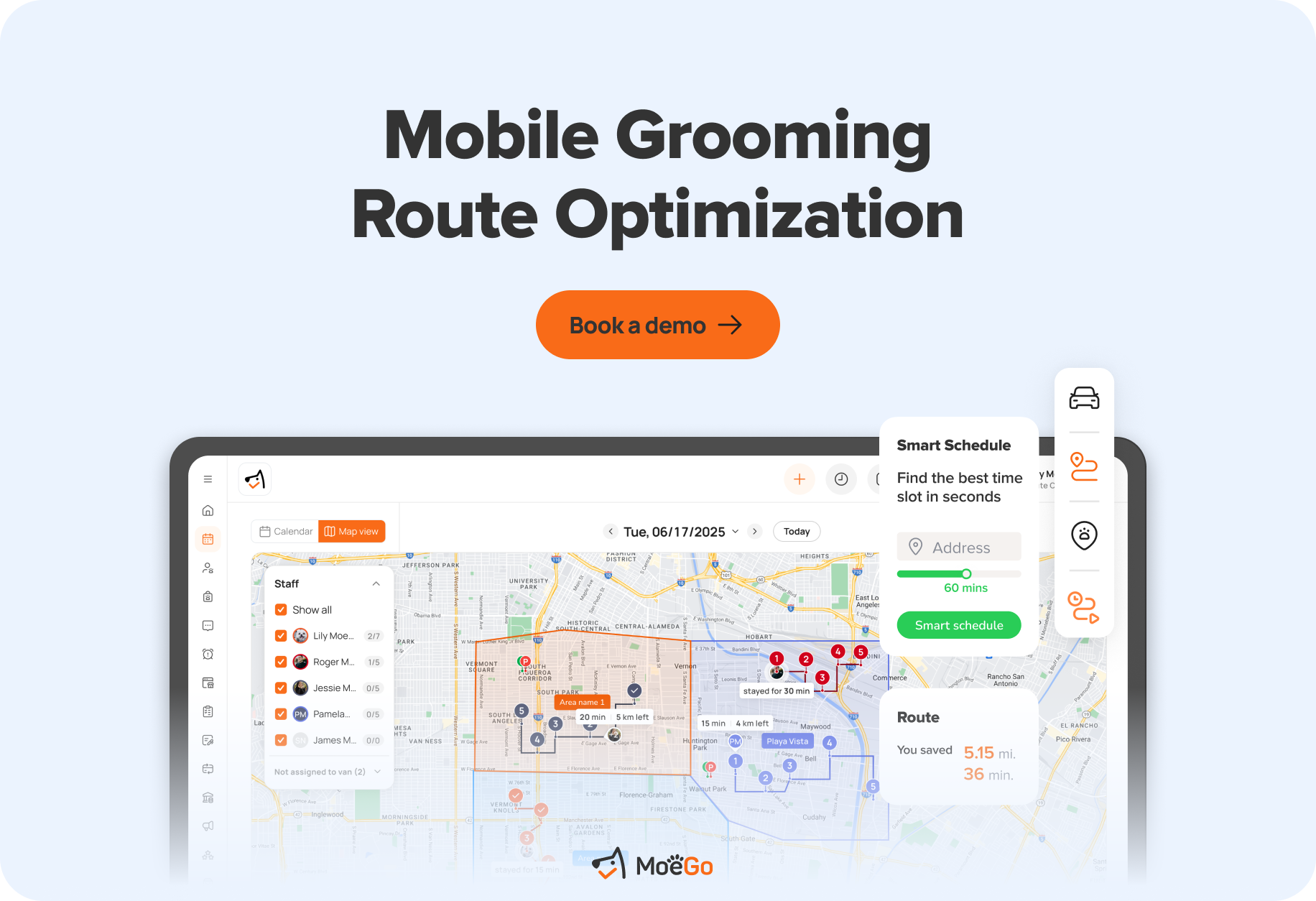
For mobile businesses, the gaps are even bigger. A standard calendar does not optimize routes, account for drive time, or help maximize appointments per day.
What starts as a free solution usually creates a second problem: the business now needs multiple other tools to fill the gaps.
Payment Apps Create More Work Than They Remove
Venmo, Zelle, and Cash App may feel convenient early on, but they often create downstream issues for professional operators.
Common problems include:
- fragmented payment records
- awkward tip handling
- weak reporting
- slower reconciliation
- a less professional checkout experience
For growing businesses, payment workflows should do more than collect money. They should help protect revenue through deposits, card-on-file requirements, pre-authorization, and fast payout processes.
Spreadsheets Don’t Scale
Spreadsheets often become the default client database. They also become a major point of failure.
As the business grows, spreadsheet-based workflows make it harder to:
- keep records current
- prevent duplicate entries
- share information across staff
- maintain clean service history
- quickly find the right client or pet information
At a certain point, spreadsheets stop being a system and start being a risk.
What Good Dog Grooming Software Actually Does
The best dog grooming software does not just digitize your calendar. It supports the full operational flow of the business.
That includes scheduling, communication, payments, pet records, rebooking, and, for mobile groomers, route efficiency.
1. It Understands Grooming Workflows
Purpose-built software is designed around how pet businesses actually operate.
That means it can support:
- service-specific scheduling
- pet profiles and grooming notes
- breed and coat-related appointment logic
- cancellation and no-show policies
- staff coordination
- repeat visit and rebooking workflows
This is what separates grooming software from generic salon or booking tools.
2. It Connects the Business in One System
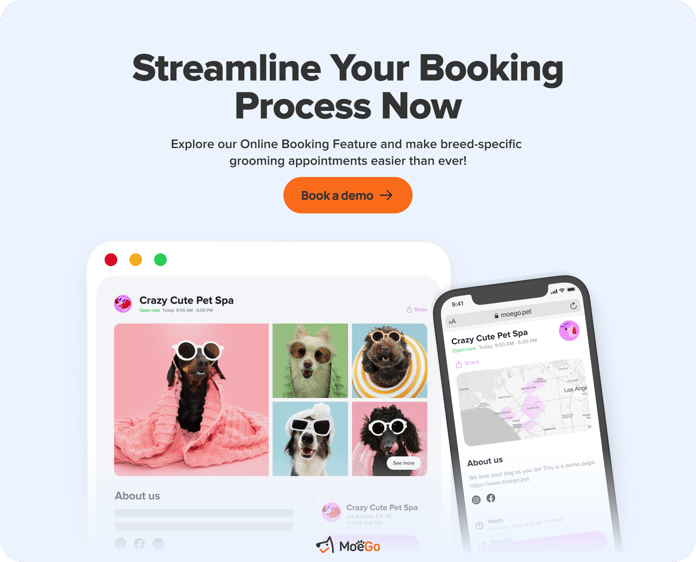
Instead of relying on separate tools, purpose-built platforms unify core workflows:
- booking
- reminders
- payments
- client communication
- pet CRM
- reporting
That reduces duplicate data entry and gives the owner a clearer view of what is happening day to day.
For growth-stage operators, this kind of centralization matters. One of the most common pain points in scaling businesses is losing visibility and control as complexity increases.
3. It Protects Revenue, Not Just Appointments
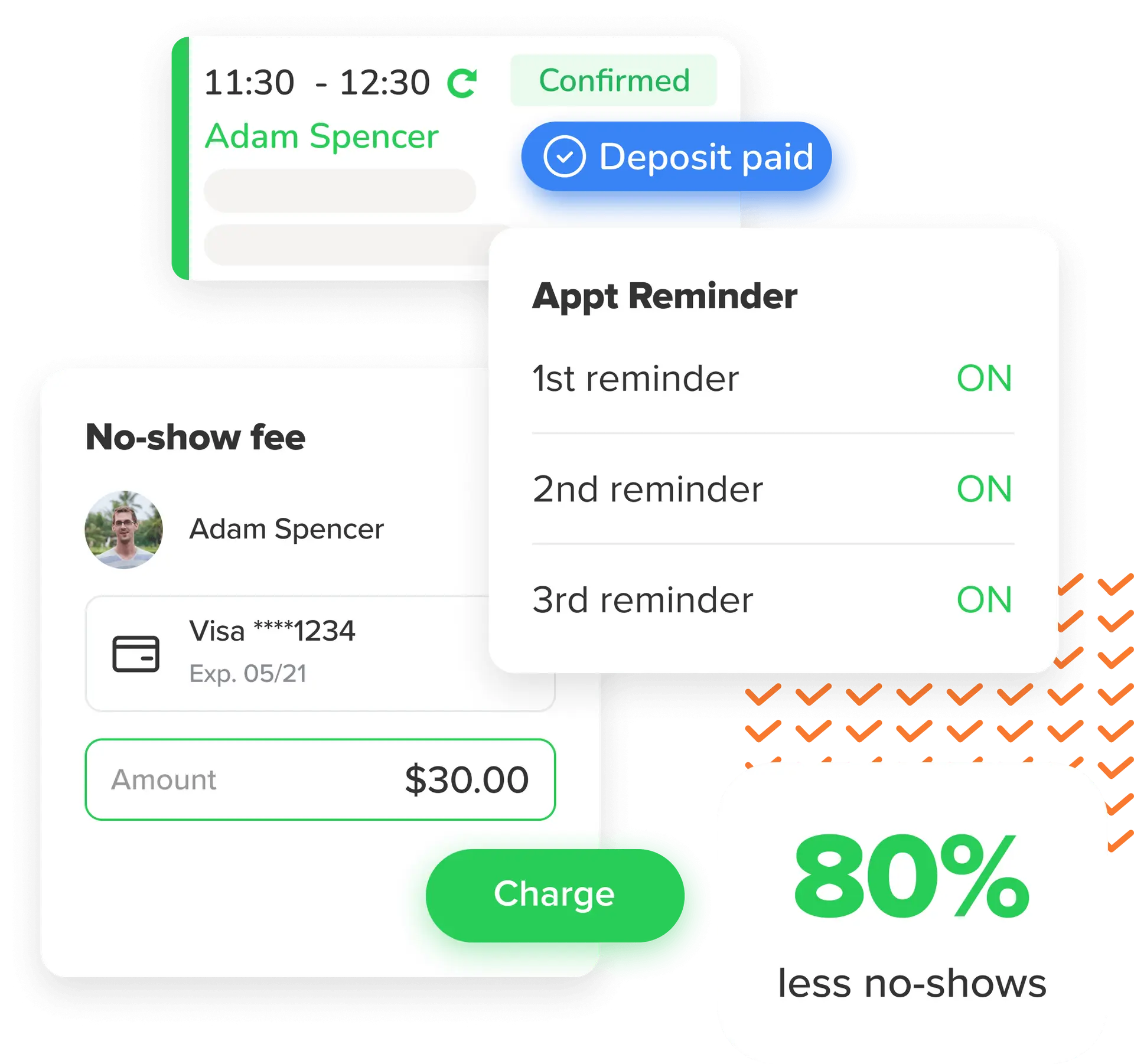
The strongest platforms help businesses enforce the policies that protect margin.
Look for capabilities like:
- deposits
- card on file
- pre-authorization
- automated reminders
- cancellation enforcement
- easy upsells and add-ons
These features do not just save time. They help recover revenue that businesses often lose through inconsistent manual processes.
4. It Supports Mobile Grooming Properly
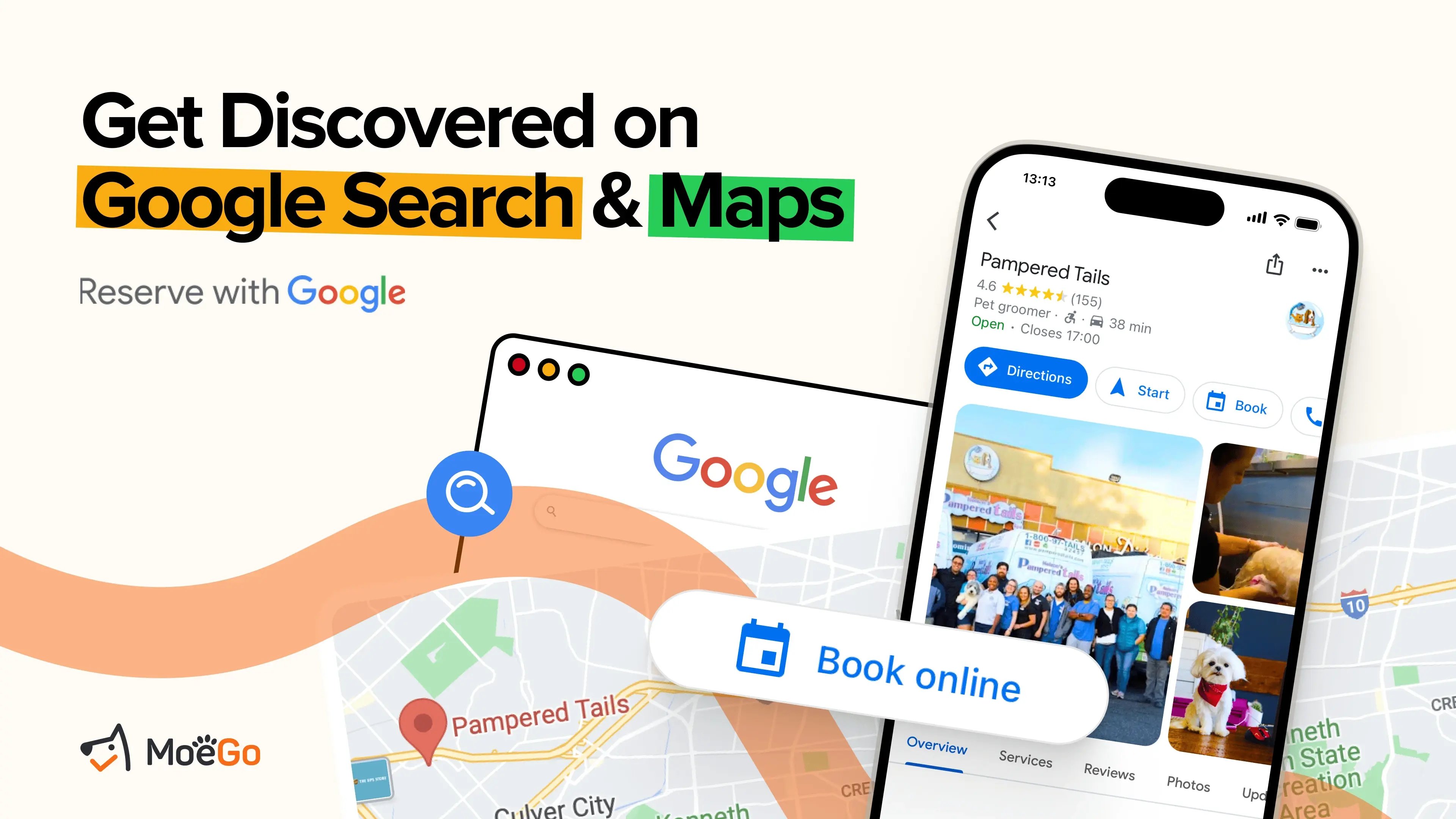
Mobile grooming has a different operating model, so the software should reflect that.
Important capabilities include:
- route optimization
- map-based scheduling
- mobile-first usability
- van-level visibility
- direct communication between groomers and clients
For mobile fleets in particular, software should help improve revenue per mile, not just store appointments.
What to Look For in Dog Grooming Software
If you are evaluating software options, here are the features that matter most.
Smart Scheduling
Look for scheduling tools that prevent overlap, support service logic, and reduce dead time in the day.
Pet CRM
The system should store pet-specific records, not just generic client contact information.
Integrated Payments
Payments should be built into the workflow, with deposits, card-on-file, tipping, and clear reporting.
Automated Client Communication
Reminders, confirmations, and rebooking messages should happen automatically.
Reporting and Visibility
Owners need a clear view of bookings, revenue, cancellations, and staff performance without having to build reports manually.
Mobile Functionality
For mobile groomers and busy operators, the platform should work well on the go — not as a stripped-down afterthought.
Scalability
The software should support your next stage of growth, whether that means more staff, more vans, or multiple locations.
Professional Software vs DIY Systems
| Category | DIY / Generic Stack | Purpose-Built Grooming Software |
|---|---|---|
| Scheduling | Basic calendar tools | Grooming-specific scheduling logic |
| Pet Records | Manual notes or spreadsheets | Centralized pet CRM |
| Payments | Separate payment apps | Integrated payments and policy enforcement |
| No-Show Protection | Manual follow-up | Deposits, reminders, card on file |
| Client Communication | Texting across devices | Centralized messaging |
| Mobile Grooming | No route logic | Route optimization and mobile workflows |
| Reporting | Manual spreadsheets | Real-time dashboards |
| Growth Readiness | Breaks under complexity | Designed to scale |
The issue is not whether generic tools can work at all. It is that they stop working well once the business becomes even moderately complex.
Case Example: When Better Systems Improve Margins
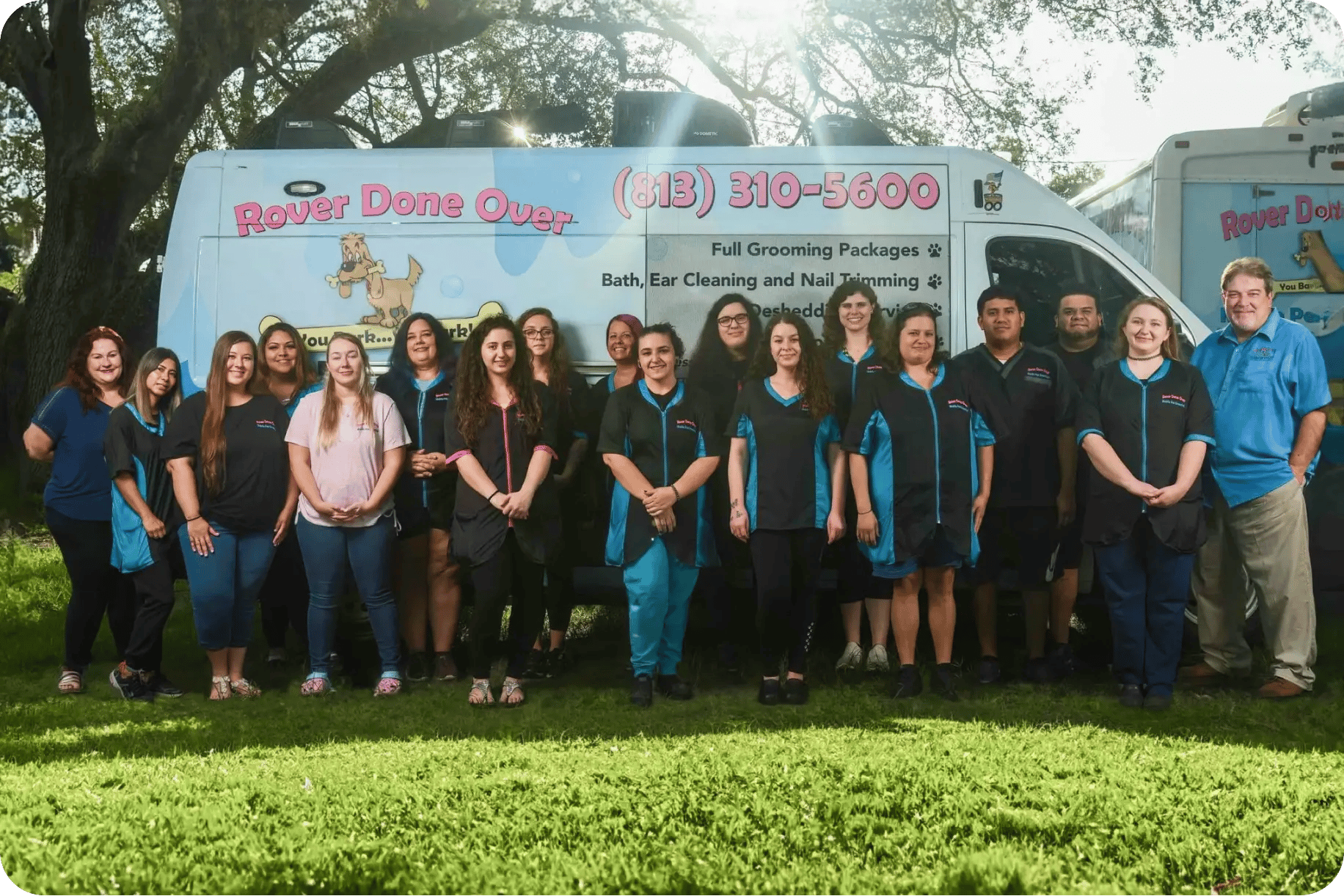
One of the strongest examples is Rover Done Over, a 10-van mobile grooming business that used MoeGo to reduce operational friction and cut payment-related costs.
Their results highlight what purpose-built software can do when it addresses real business problems:
- payment workflow clarity
- deposit enforcement
- faster, more direct client communication
- better protection against no-shows
- improved cash flow visibility
That is the right kind of proof point because it speaks directly to what operators care about: margin protection, smoother operations, and less chaos.
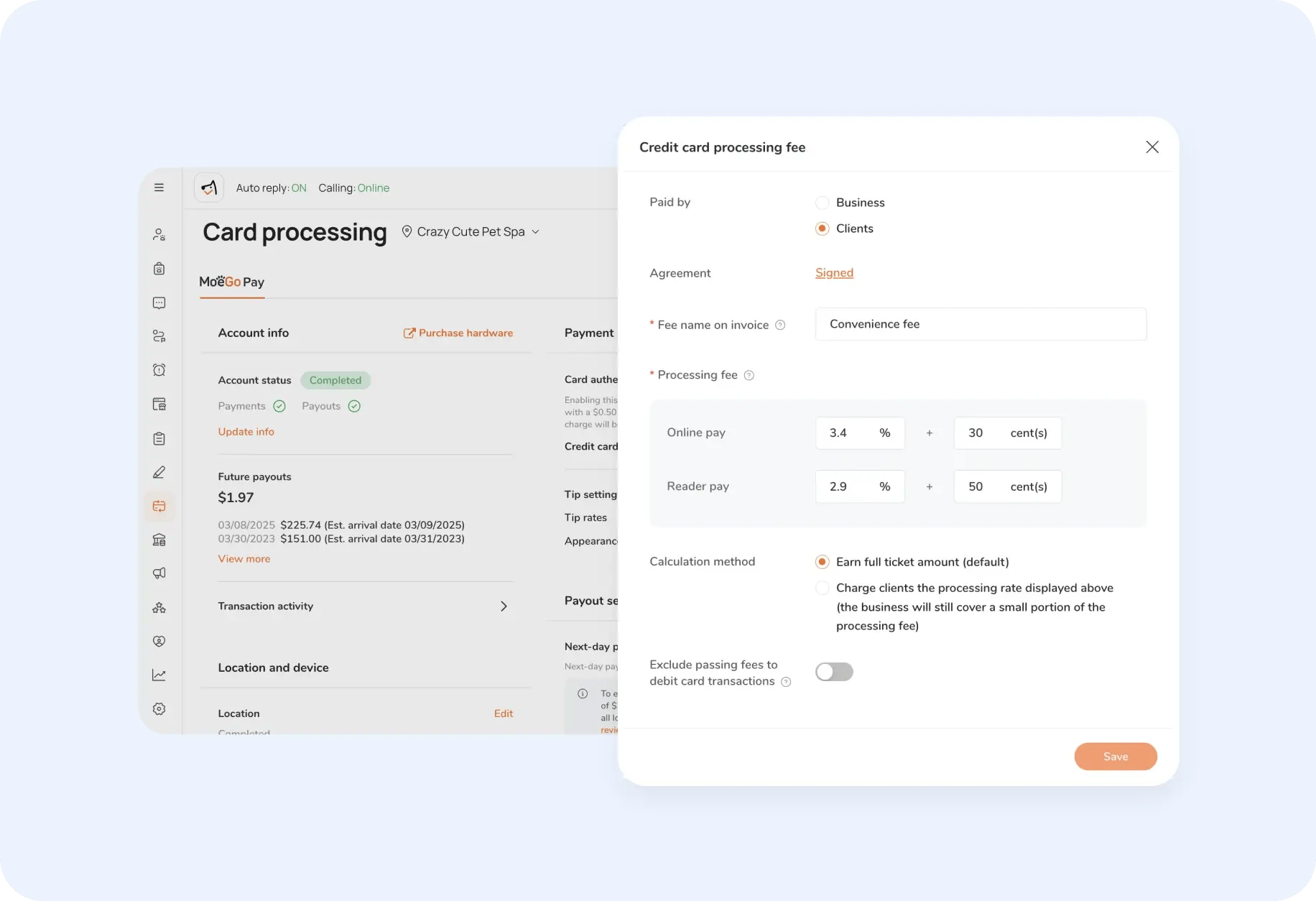
1. Transparent Payment Processing
Instead of absorbing all processing fees, they implemented MoeGo Pay's client-paid processing feature. They updated their pricing to show two tiers: cash/check rates and card rates, with clients understanding the structure upfront.
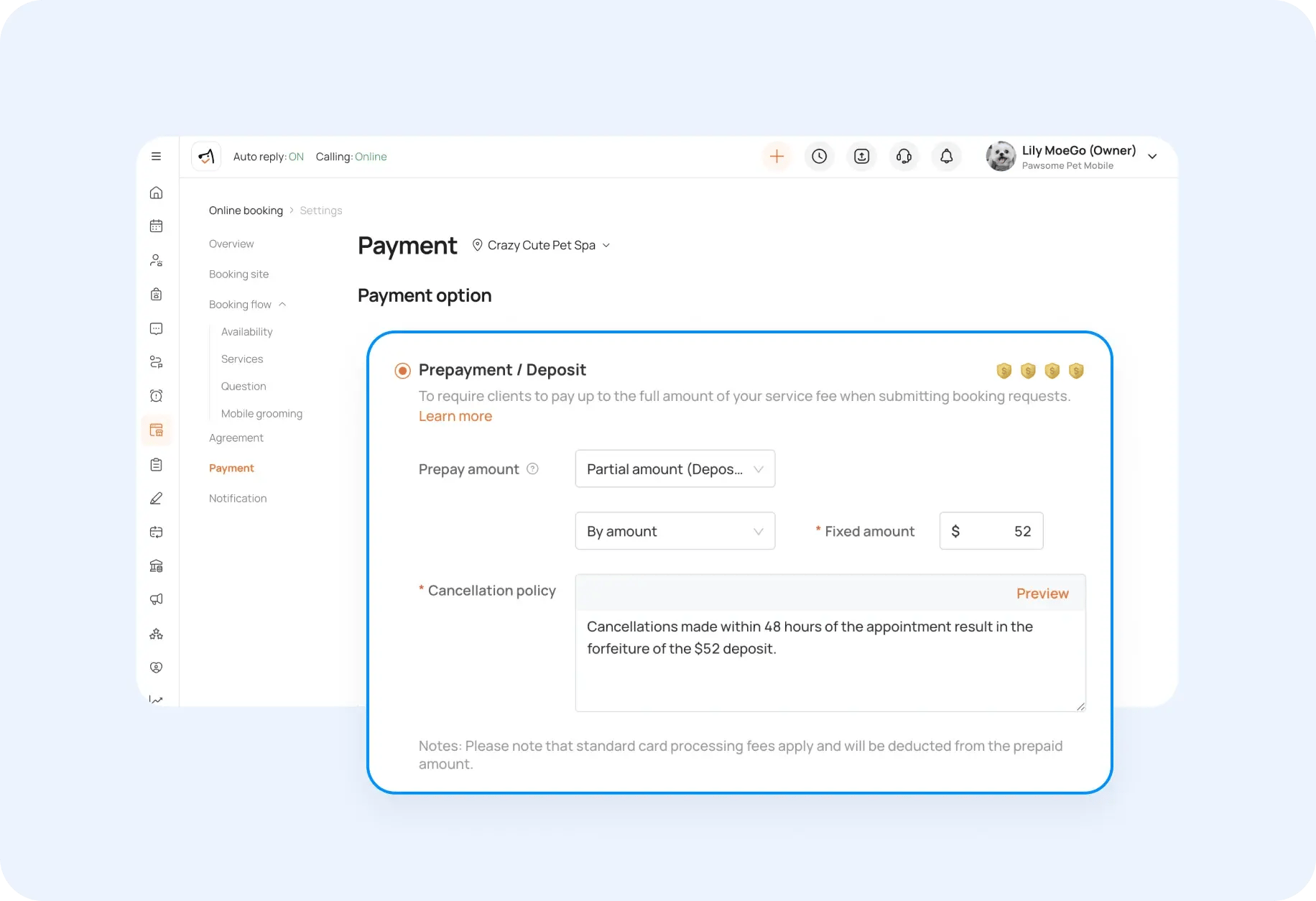
2. Card-on-File Protection
New clients pay a $52 deposit with policies explained through intake forms. Existing clients have cards on file to enforce their 48-hour cancellation policy automatically.
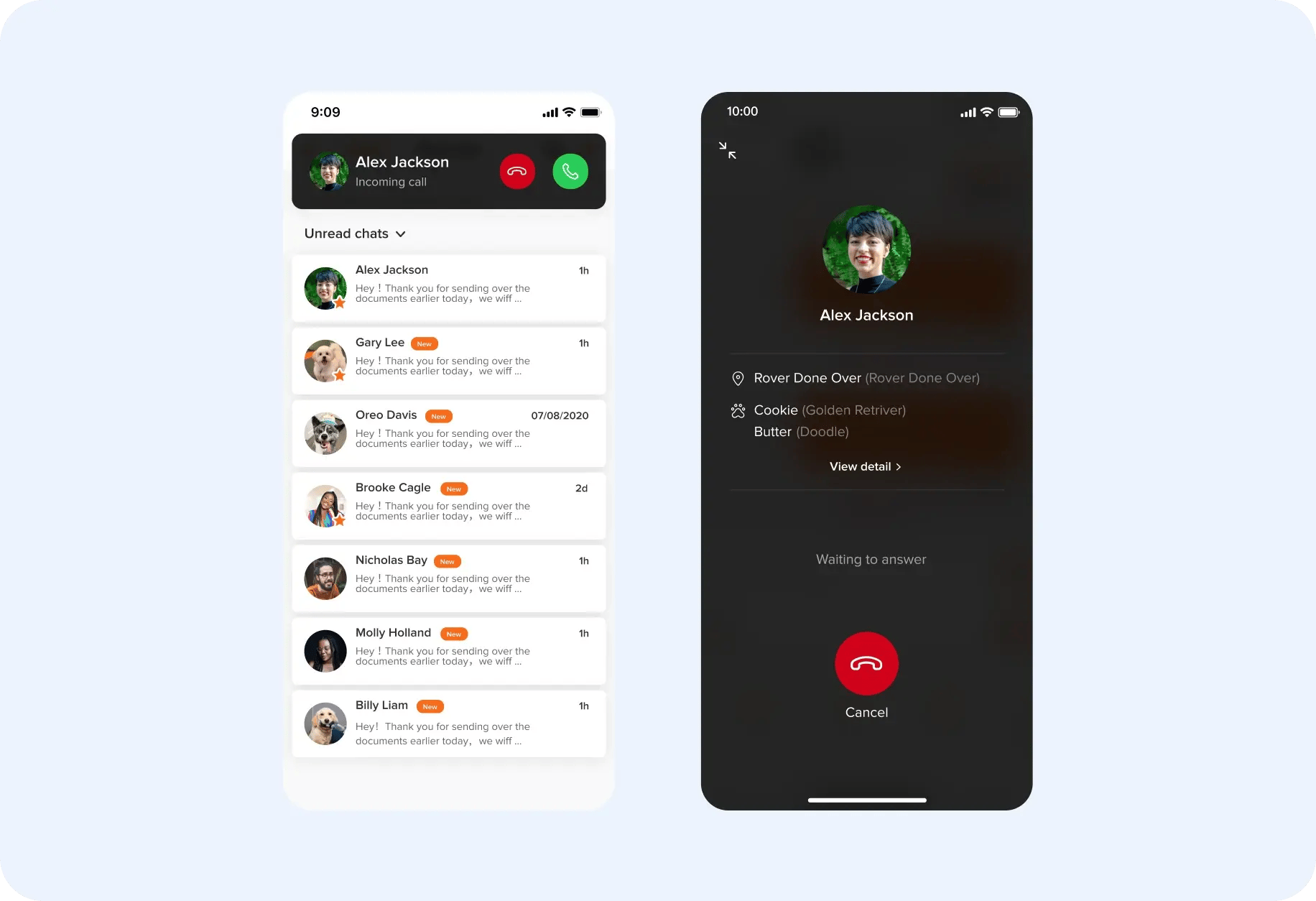
3. Direct Communication
MoeGo Calling enabled groomers to contact clients directly using the business number, eliminating office intermediaries.
Measurable Results
- $1,200 saved weekly in processing fees ($62,400 annually)
- 99% client retention during the transition (lost only 2-3 clients)
- Eliminated daily staff calls to the office for client communication
- Automated no-show protection with instant fee processing
- Improved cash flow through deposit requirements and faster payments
"This was the fee we had to pay out. So really, in actuality, that's a lot of money saved," explains Gretchen about the processing fee savings.
The transformation demonstrates how purpose-built software addresses real operational challenges while protecting revenue and improving efficiency.
How to Switch Without Disrupting the Business
The idea of switching software often feels bigger than it is. A cleaner rollout usually follows three steps:
1. Clean Up Existing Data
Remove duplicate clients, update contact details, and organize service records before migration.
2. Train by Role
Front desk staff, groomers, and managers use the system differently. Role-specific training improves adoption and reduces overwhelm.
3. Communicate Changes Clearly
Let regular clients know what is changing, especially if you are introducing online booking, deposits, or new payment policies.
The goal is not just to install software. It is to improve the operational rhythm of the business.
Why This Matters More as Your Business Grows
Many businesses do not feel the pain of generic tools immediately.
The problem appears as the business adds:
- more appointments
- more staff
- more client communication
- more moving pieces
- more owner dependence
That is when fragmentation becomes expensive.
Growth-stage pet businesses are not just buying software. They are buying:
- control
- visibility
- more predictable revenue
- less admin burden
- a stronger foundation for scale
That is why the right platform should be evaluated as operational infrastructure, not just a scheduling tool.
The Bottom Line
Generic tools often look cheaper because they hide the real costs.
But once you factor in administrative drag, missed revenue, inconsistent client experience, and owner burnout, the math changes quickly.
The best dog grooming software is not the platform with the lowest monthly price. It is the one that helps your business operate with more control, better consistency, and less friction.
For grooming businesses that want to grow without drowning in admin, purpose-built software is not a luxury. It is the system that makes growth sustainable.
Just starting or adding to your business?
We have flexible plans meant for all stages.


Holiday Grooming Add-Ons: How to Build a Seasonal Menu That Sells Itself
How KLŌS Fine Pet Salon Turned Milton, Georgia's Most Discerning Zip Code Into Its Biggest Advantage